• Skip to primary navigation
  • Skip to main content
  • Skip to primary sidebar
  • Internet
    • Browsers
    • Cloud Computing
    • Online Video
    • Search Engines
    • Web 2.0
  • Mobile
    • Android Apps
    • Apps
  • Software
  • Funny Stuff
  • Social Networks
  • Web Tools

Daily Bits

  • Home
  • About
  • Archives
  • Contact
  • Advertise

7 Tips to Keep Windows XP Fast and Responsive

February 12, 2023 by Sumesh

Windows XP is a landmark in Microsoft’s history. After a couple of unstable releases, Windows XP ironed out all the creases. Even today, Windows XP is more stable and considered a better OS than Vista by many.

No matter how stable, any (Windows) operating system requires proper care, optimization and tuning to keep it quick and responsive over long periods. Temporary files, crumbs of partially (un)installed programs, cached files and similar add to the bloat and make Windows XP slower over extended usage.

However, following a few simple tips, we can keep XP squeaky-clean and fast – just what you want. Follow these easy tips:

1. Install only necessary apps.
Installing every application you come across, trying them out for a few days and then uninstalling them is a bad idea. Install only the important applications, and then stay with it – do not uninstall. The reason is that more often than not, applications leave various files (temporary, shared etc.) even after uninstalling them. Over time, multiple install/uninstalls can lead to an unhealthy system with unnecessary bloat (and hence slowdown).

2. Install a good anti-virus, anti-spyware and firewall.
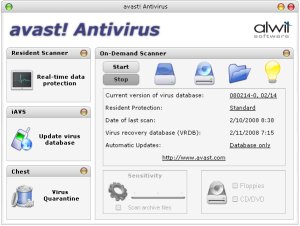
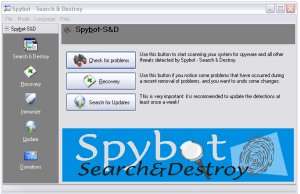
Though the chances of being infected with malware is limited if you access only legitimate sites and downloads, it is still better to be on the safe side. Installing an anti-spyware is important, because spyware can simultaneously slow down your system and use internet bandwidth. Refer to my 8 Freeware for Windows post for good software.

3. Defragment your harddrive.
Defragmenting hard drive is commonplace, and is advisable. However, the default defragmentation app on Windows defragmentation is very slow, so using a third-party tool is a good idea. PowerDefragmenter accomplishes this task effectively. See a how-to by Shankar.

4. Use multiple partitions cleverly.
Using multiple partitions can improve data seek times significantly. Create partitions for operating system, program files (and use this partition as the location for all app installs), documents and media. Try to keep the partitions small in size, except for the media partition.

If you have more than one hard drive, use one of them for OS, and the other for other files (media, programs, My Documents etc.). This improves performance, and also increases the longevity of the hard drive on which the OS is located, since the data access is made for OS only. You can check the eHow page about hard disk partitions.

5. Optimize page-file usage.
Windows controls the page-file usage by default, but performance can be improved by setting the limits manually. Go to Control Panel > System > Advanced, and click the settings button under Performance. In the Performance dialog box, click the Advanced tab. Click on the Change button under Virtual Memory. In the dialog box that comes up, click ‘Custom’ and set the value at 1.5 times that of your system RAM. For example, if your computer has 1GB RAM, enter 1536 (remember, 1 GB=1024 MB).

6. Control startup applications:
Startup items can plague your computer with slower startup times. The best way to improve boot times is to disable unnecessary startup programs. Unlike other tweaks mentioned in this post, this tweak will be different for everyone. Common apps to disable include Skype, Yahoo Messenger, iTunes etc. However, ensure that you do not disable antivirus, anti-spyware and firewall applications.

Not sure how to do this? Check this TweakXP article.

7. Ditch Internet Explorer.
Internet Explorer renders pages poorly and gets a lot of flaming for it. However, an even more important aspect is security. Windows and Internet Explorer are tightly integrated. This means that any vulnerability in the browser can make the OS also vulnerable. Spyware attacks, phishing etc. are commonplace on IE. IE 7 is better in terms of security, but still has creases to iron out. A better idea would be to get a third-party browser – Firefox or Opera.
Filed Under: Software Tagged With: fast, keep, responsive, tips, windows, xp

8 Freeware Alternatives Every Windows User Should Install

February 12, 2023 by Sumesh

Paid Windows software like Norton AntiVirus, Adobe Photoshop and Nero are etched into the minds of users thanks to years of advertising by the powerful corporations that own them.

Most of the times the users are not aware of the fact that there are several free alternatives on the market. More importantly, these free alternatives tend to perform just as well as their paid cousins, while consuming less resources and providing a cleaner interface.

Below you will find 8 free software that you can use for a wide range of purposes.

1. Avast AntiVirus: Currently at version 4, and free for home use.

avast-mac-skin.jpg

Avast is the best antivirus in terms of resource consumption. It has a low CPU and memory footprint, even while scanning. Several independent tests have found out that Avast is comparable to Norton Antivirus, Kaspersky etc. in terms of scanning accuracy, quicker than every other antivirus, and has the smallest online updates among them. Virus definition updates often go unnoticed, and we are alerted only when the update is complete.

There are several skins available for Avast. My personal favorite is the Mac OS X theme that mimics the Mac interface well, but there is a Vista theme also.

2. Spybot S&D: Free for private use.

spybot-startup.jpg

Spybot S&D is one of the best anti-spyware tools available. Working in tandem with Ad-Aware SE, these two tools can sweep out most malware. The interface is simple, and presents three large buttons: Check for problems, Recovery and Search for Updates. Self-descriptive commands and options are the hallmark of Spybot S&D. There are two modes, Default and Advanced. Advanced mode adds many new options, but one wrong step and you may make or break the computer. The program will warn this when you try to switch to Advanced mode, though.

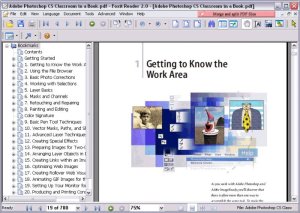
3. Foxit PDF: Free for personal use, contains an upgrade option for PDF editing and advanced usage.

foxit.jpg

Adobe Reader takes several seconds to load up. However, a free, lightweight alternative called Foxit is available. Foxit can be used as a basic reader for free, but advanced features like editing require a paid upgrade. It is the ‘light-weight’ factor that makes Foxit so attractive. Foxit also includes nifty features like minimizing to tray to reduce clutter on the taskbar.

4. ImgBurn: Currently at version 2.4, and free for personal use.

imgburn.jpg

ImgBurn is a lightweight disc burning program, with a focus on getting things done quickly. Too many options may come in your way in Nero, but ImgBurn makes disc burning look easy. When starting up, you are met with a startup screen with options like ‘Write image file to disc’, ‘Write files to disc’ etc. Clicking one of those large icons takes you to the appropriate window.

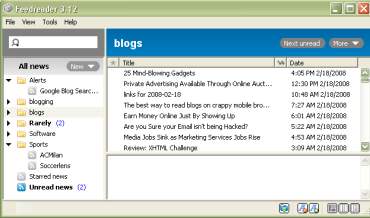
5. FeedReader/FeedDemon: Free.

feedreader.jpg

Feed reading can be made fun and enjoyable by using a desktop feed reader. While these do not have features like ‘Shared Items’ in Google, they are quick and easy to use. You can read feeds much like reading emails in a desktop app. There are options to bookmark favorite posts for further reference, and there is a separate folder for these bookmarked posts. FeedDemon has another useful feature – synchronization with Newsgator online account. This can be particularly useful if you move between several computers regularly, and want to stay synchronized.

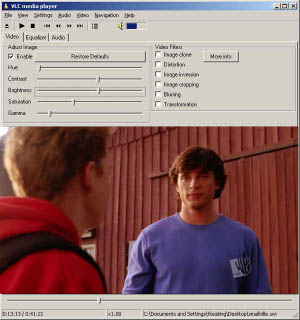
6. VLC player: Free and open-source.

vlc.jpg

VLC player is best known as a play-it-all media player. The open-source VLC player can play videos with ease. The interface design is rather drab, but not difficult to use. Weighing in at a hefty 35 MB, VLC might look heavy. However, this extra megabytes is caused by the codecs that are bundled. So, you can play most formats without installing any codecs on the PC.

VLC is one of the few players that can play FLV and mobile video files without conversion.

7. Digsby/Pidgin: Free (Digsby) and open-source (Pidgin).

digsby.jpg

Multi-protocol instant messenger clients are always desirable for those who chat often, or need to connect with users of different protocols. Digsby was launched recently and is invite-only (get invite codes here and here), while Pidgin is free and open-source. Pidgin has a large number of plugins and themes available, while Digsby is feature-rich by default. Digsby has inline email reply(within the client) and integration with Facebook and MySpace – two innovative features. If you’re tired of Pidgin’s drab interface, try Digsby – it has a pleasant-looking interface.

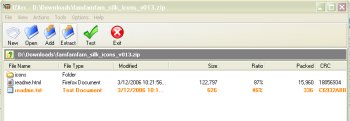
8. IZArc: Free.

izarc.jpg

IZArc is a powerful archive/unarchive utility. It is free and lightweight. It has all the features of other archival utilities, plus some extra features like unpacking .iso files to component files. This can be particularly useful when you get a disc and need to extract and install any single part of the software, say the .net framework (I have used it for that particular purpose).

I have been using these freeware for over a year, and have never felt like going back to the paid software. Of course, this would require slight adjustments in our mentality and habits, but these can be done easily, once you remember that the benefits of using these are saving money, and saving system resources.

Filed Under: Software Tagged With: alternatives, free, freeware, install, Software, windows

25 Incredible Skins, Resources & Tools for the Gmail Power User

February 11, 2023 by Skellie

Gmail is one of those rare things unanimously loved by everyday web users and tech-heads alike. The possibilities are endless. It can be anything from a simple email client to your central nervous system on the web. How far you take it is up to you.

Each day seems to produce a new hack, tool or tip for better Gmail use. In this post, I want to highlight only the very best, hand-picked from hundreds of resources. This is not another resource list you’ll bookmark and never look at again. These tips, monster resources and tools will change the way you use Gmail.

Best Gmail skins

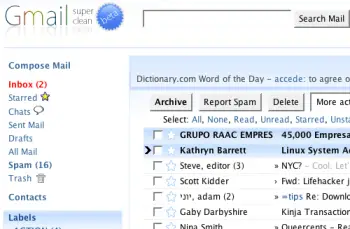
1. Super Clean skin — probably the most popular Gmail skin, Super Clean replaces the standard interface with a minimalist white and sky-blue version. Perfect for the budding Zen-master.

gmailsuperclean.png

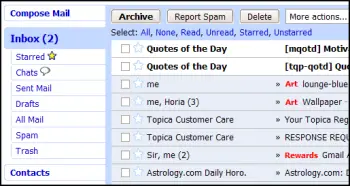
2. Air skin — makes subtle changes to the visual interface, adding clean lines, a cloudy color combo and changes the primary font. The perfect solution for users looking for a fresh look without any radical changes.

gmailair.png

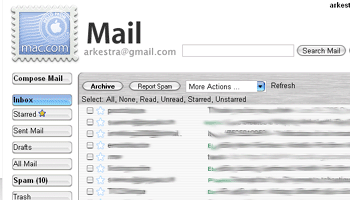
3. Mac skin — a Mac-inspired Gmail skin to match the Mac you’re checking your mail on! Adds a Mac-style menu and color-scheme to your Gmail account.

gmailmac1.gif

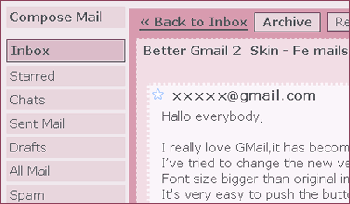
4. Fe Mail skin — a well-crafted and very pink Gmail skin.

femails.gif

5. Dark Gmail skin — almost the complete opposite to the last link, this skin is one for the dark and brooding Gmail user.

darkskin.png

6. Silverstar skin — a popular minimalist gray theme.

simplicity.gif

7. Brushed skin — a gray and maroon theme with nifty gradients thrown into the mix.

brushed.png

Best Gmail resources

8. The Gmail Shortcuts Cheat Sheet — a comprehensive printable cheat sheet of useful shortcuts for Gmail. Print it and stick it to your desk: these shortcuts are worth memorizing. Did you know pressing ‘Tab’ and ‘Enter’ will send the email you’ve composed?

9. Gmail Craze: 40+ Tools and Hacks for Gmail — a frequently updated post from MakeUseOf featuring essential Firefox extensions, Greasemonkey Scripts, Desktop Apps, Web Tools, tips and hacks.

10. 55 Gmail tips — this website is dedicated to providing detailed Gmail tips. It covers everything from excluding chat from search results to importing Hotmail contacts.

11. Hack Attack: Become a Gmail Master — this fantastic guide from Lifehacker introduces Gmail’s most powerful capabilities in a way that’s easy to follow. It will help take anyone only familiar with Gmail’s basic functions to the next level.

12. Use Gmail as Your Universal Email Account — got too many email addresses to keep track of? Forward them all to Gmail and deal with your incoming mail from one central location.

13. Ultimate Gmail Collection: Over 80 Tools and Tips — a monster list of extensions, scripts, apps, notifiers, how-tos and shortcuts for the serious Gmail user.

14. Turn Gmail Into Your Personal Nerve Center — influential technology blogger Steve Rubel shares his essential Gmail life hacks, including:

  • How to turn Gmail into a massive personal database
  • How to get real-time news updates in Gmail
  • How to automatically store your bookmarks in Gmail
  • How to manage Calendar and To-Dos in Gmail
  • How to blog from Gmail

15. 1 Awesome Gmail Tip You Didn’t Know About. Seriously. — this easy tutorial explains how you can customize your Gmail address to serve different purposes.

16. Gmail Toolbox: 60+ Tools for Gmail — Mashable.com works its magic with a huge compendium of Gmail tools. It includes all the extensions you know and love in addition to some (previously) undiscovered gems.

17. Access Gmail When It’s Blocked at Work or School — Engtech provides five strategies you can use to check your Gmail anywhere, even when the I.T. department doesn’t want you to.

18. Mark Spam Messages as Read — this simple filters hack allows you to prevent your unread spam count showing in the main display. Best of all, it will still alert you to items that have been incorrectly marked as spam.

19. Gmail Tips and Tricks: Monster Roundup — Lifehacker’s big roundup of its favorite Gmail downloads, hacks and articles.

Best Gmail tools

20. Gmail Drive — this tool puts Gmail’s extensive storage capacity to use, adding a new drive to your computer which can be accessed via Windows Explorer. You can create folders and drag and drop files within the drive. If you’ve got unused space in your Gmail account, why not add some more space to your hard drive?

21. GTD Inbox — the email solution for productivity nuts, GTD Inbox is a Firefox extension designed to merge the “Getting Things Done” productivity method with Gmail. It transforms Gmail into a productivity hub you can use to set and manage tasks or to-dos. The interface is very subtle and won’t interrupt the look and feel of Gmail as you know it.

22. Better Gmail 2 — this simple and elegant Firefox extension, authored by Gina Trapani, makes several improvements to Gmail’s core functionality, allowing you to hide the ever-annoying Spam count, compose Mailto links in Gmail and view your storage quota as a useful graph. If you’re still using the old version of Gmail, you’ll need to download the original Better Gmail extension.

23. Gmail Music — this nifty little web-based GUI app allows you to store MP3 files in your Gmail account and play them on any computer.

24. Dragdropupload — a Firefox extension that does away with the pesky ‘Browse’ interface. It enables drag and drop email attachments to make the process quick and painless.

25. Gmail Skins — a Firefox extension to customize the color of your Gmail inbox.

Suggest your favorite skins, resources and tools in the comments section!

Filed Under: Web Tools Tagged With: gmail, power, resources, skins, tools, user

18 Undiscovered Websites Every Gamer Should Know

February 11, 2023 by Skellie

The gaming niche is characterized by its haves and have-nots. You’ve seen Kotaku, IGN, GameSpot, Joystiq, 1UP and the others, but what about the great, lesser-known gaming sites?

This post introduces 18 great gaming sites you might not have seen before. Whether you’re looking for freebies, music, laughs or oddities, there’s something here for occasional and hardcore gamers alike.

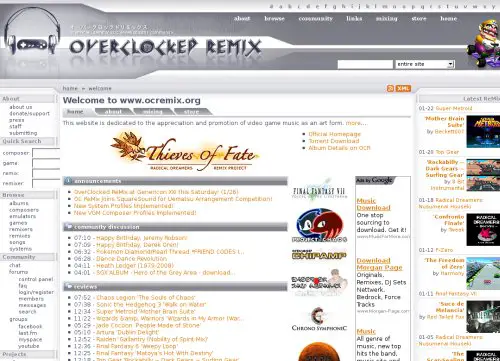
1. Overclocked Remix is a community hub of users who painstakingly remix and arrange video game music. There are thousands of tracks available for download. If you like the soundtrack to your favorite game, you can bet it has been remixed and reworked here.

overclokedremix.jpg

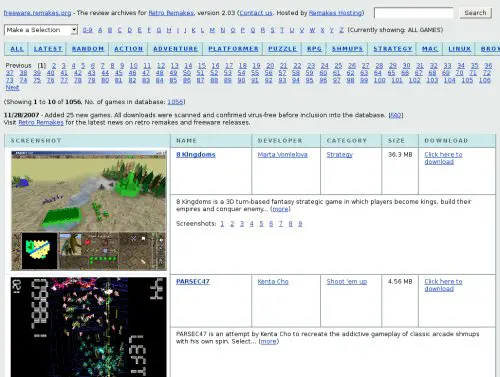
2. The Freeware Indie Games Database offers just under 1,000 play-tested freeware titles from independent game developers. The games here are innovative and unique. Some of them are bound to be re-developed as Wii titles.

freewaredatabase.jpg

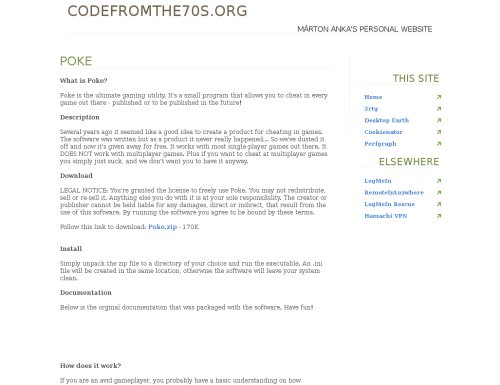
3. POKE is a light-weight utility that allows you to cheat in almost any single player game, whether it’s already published or to be published in the future.

poke.jpg

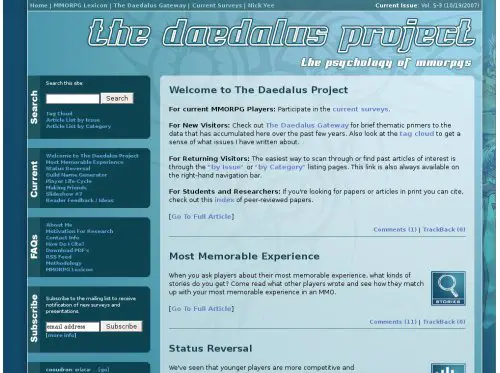
4. The Daedalus Project gets into the minds of MMORPG players. The website’s author has surveyed over 35,000 gamers and provides a detailed break-down of his findings in areas such as the player life-cycle, making friends and status reversal. It’s fascinating stuff.

daedalus.jpg

5. Gaming Magazines of the Pre-Internet Era is a treasure trove for retro gamers. It links out to .PDF databases of old and out of print gaming magazines.

preinternetera.jpg

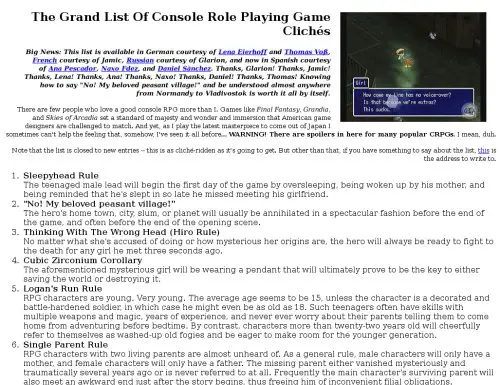
6. The Grand List of Role Playing Game Clichés is a list of 100+ painful clichés any RPG fan would have encountered before. My favorite? The No! My beloved peasant village cliché: “The hero’s home town, city, slum, or planet will usually be annihilated in a spectacular fashion before the end of the game, and often before the end of the opening scene.”

thegrandlist.jpg

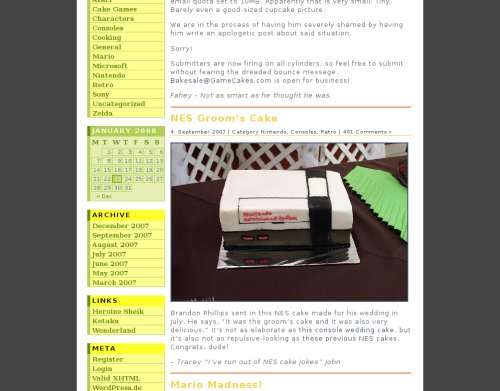
7. GameCakes is the website for people who love cake and video games. These game-themed cakes run the gamut, from the bizarre to the majestic. The scrumptious photos will have you baking your own cupcakes in no time.

gamecakes.jpg

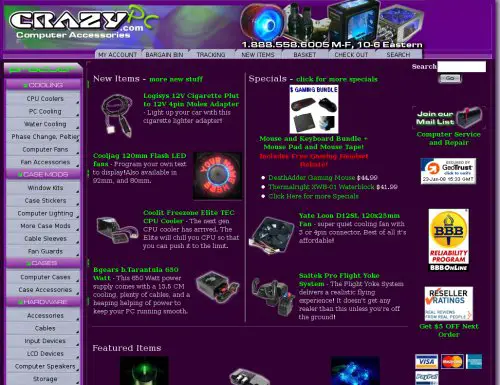
8. CrazyPC is the hardcore gamer’s place for computer accessories. All the neon, case mods, plexiglass, tubes and coolant fluid you can poke a memory stick at.

pcmods.jpg

9. VGMusic is host to 24,000+ midi versions of video game tracks from all your retro favorites: Megaman, Mario, Zelda, Sonic the Hedgehog, et al.

vgmusic.jpg

10. Build Your Own Gaming Computers is a website dedicated to helping you… well, you can probably guess. Gaming rigs sell for thousands of dollars and learning to build your own can save you lots of cash. This website provides advice on the entire process, from choosing parts to installation.

howtobuildgaming.jpg

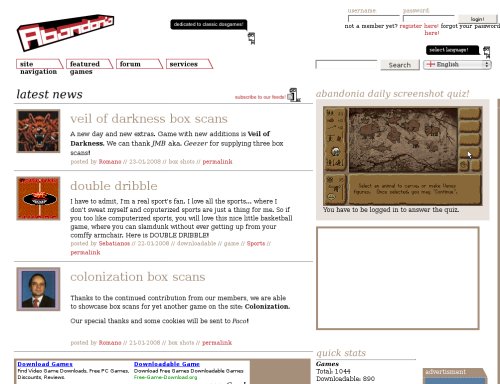
11. Abandonia offers thousands of abandonware DOS downloads. Abandonware essentially means games which aren’t sold anymore, prompting their release into the public domain. They’re the games you might have owned and loved as a child or teenager. Chances are you’ll find some old favorites here.

abandonia.jpg

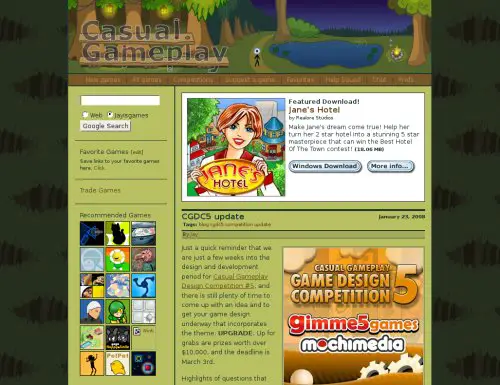
12. Jay is Games sources out the best casual games and brings them directly to you. The blog’s authors sure know their stuff and their opinions are worth listening to. Subscribe to their feed for a daily stream of gorgeous, idle distractions.

jayisgames.jpg

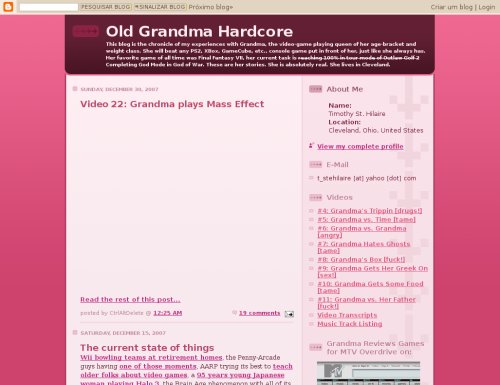
13. Old Grandma Hardcore is the blog of a foul-mouthed, lovable gamer grandma (with the pictures to prove it!). No, we’re not talking Brain Training and The Sims — we’re talking games like Bioshock and The Darkness. This grandma really is hardcore!

oldgrandma.jpg

14. Insert Credit is a multi-author Japanese games and culture blog specializing in breaking news from the land of the rising sun.

insercredit.jpg

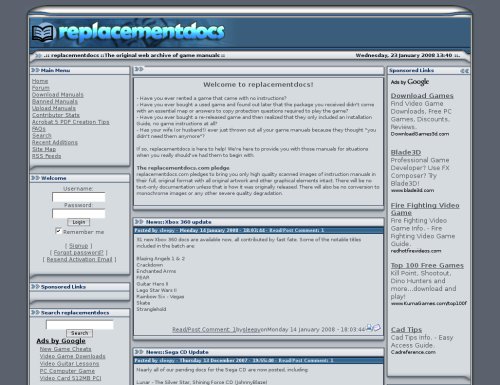
15. Replacementdocs is an online archive of .PDF game manuals for thousands of popular games. If you’ve experienced the frustration of losing the manual to your favorite title, replacementdocs should have a solution for you.

replacementdocs.jpg

16. Wonderland is an odds-and-ends gaming blog mainly known for its cool gamecrafts. From Darth Vader backpacks to Quake coasters, this blog is proof that gamers are an arty bunch.

wonderland.jpg

17. The Speed Demos Archive is host to hundreds of videos documenting the efforts of those dedicated individuals who’ve conquered games in the shortest time possible. Watch epic games like Half Life 2 and Icewind Dale beaten before your lunch-break is over.

speeddemos.jpg

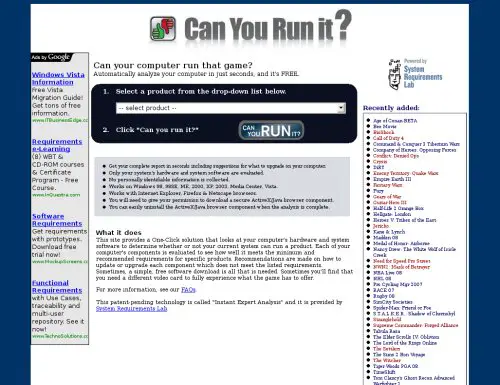
18. The System Requirements Lab analyzes your computer, benchmarking it against the minimum requirements of a specific product. Ever wondered if your computer can handle that gorgeous new release? Now you’ll know.

systemrequirements.jpg

Update
: Here are some more great websites that you might not have seen before, suggested from our readers:

  • GGMania
  • MultiPlayerGames
  • SarcasticGamer
  • Rock, Paper, Shotgun
  • CheapAssGamer
  • GameNewsHQ

Filed Under: Internet Tagged With: gamer, Games, online, websites

The Basics of Programming

February 11, 2023 by Loki

Programming – the process of creating a source code for a specific software (or simply a solution to a problem), became a common skill nowadays especially since people tend to become more aware of virtual existence. It stands as a means of communication and interaction between a machine (which only “knows” ones and zeros) and a human (who practices a more complex language), the latter being the master of the former. Further, it is a phase in the software development cycle where you employ all data gathering and analysis output into the project.

When programming, one has to learn specific skills. I have divided them into four categories for better understanding.

1. Requirements of the Program

A programmer, both amateur and professional, first has to discern the problem or set of problems he wants his program to solve. He has to pinpoint each involved process in the problem so that it will be given enough attention (and corresponding codes) later on.

Let’s take the Fibonacci number sequence problem for example. During my college years, our class was given this exercise where we need to create a Fibonacci number sequence. The number of identities to be added and the limit of numbers are defined by the user. For example:

If the user wants two identities added limited to seven numbers, then the sequence would be:

0 1 1 2 3 5 8

where there are seven output numbers, and, starting from the first two numbers 0 and 1, the program adds two consecutive numbers, the product of which becomes the next number of the sequence.

However, if the user wants three identities added limited to nine numbers, then the sequence would be:

0 1 1 2 4 7 13 24 44

with nine numbers, the first three numbers (0 1 1) starting the sequence before the addition pushes through.

Breaking down the Fibonacci sequence problem, a programmer should basically:
a. be able to generate the first zero and a preset number of ones based on how many identities the user wants to add;

b. be able to determine the time when the program starts to add identities of the sequence;

c. store and output the number after the above process is finished; and
d. count the number of output numbers in such a way that it meets the limit of the user. Upon determining those, I was able to determine the requirements of the Fibonacci problem posed by our professor.

2. Understanding of Algorithms

After addressing the problems for which a programmer will be designing a solution program to, he should do some planning. In the field of computing, this is done through algorithms, a defined set of instructions for a specific programming problem. Algorithms loosely determine what goes on during the start of the program, the processing of data into information, and, of course, the end of the program.

The two commonly used forms of algorithms are flowcharts and pseudocodes. Flowcharts are graphic representations of a program that utilize shapes like ovals and parallelograms for a certain process phase within the program, and arrows for the program flow after a specific process finishes. They simply define the program content and flow, letting the programmer visualize and evaluate the processes involved in a program with ease.

On the other hand, pseudocodes are descriptions of a computer program in a very informal language. A pseudocode uses simple, worded descriptions very close to the human language as compared to a syntactical programming language. However, pseudocodes usually follow the format of programming statements like conditional and looping structures. Programmers only describe what triggers a condition and what happens within a loop instead of actually putting in variables, values, and arguments.

Algorithms are often neglected by programmers in the sense that programmers are bound by deadlines, and algorithms take some time to create. However, despite the time waste, programmers can easily put algorithms into code since algorithms themselves are loose descriptions of the code. It will actually save more time if programmers are to flowchart or pseudocode than practicing the faulty trial-and-error programming style.

3. Knowledge on Programming Structures

Programming structures define a great part of programming. They actually compose the greater bulk of programming in the sense that output-yielding processes are usually the byproducts of any of the following simple structures: concatenation, selection, and repetition (as identified by Edsger Wybe Dijkstra, a Dutch computer scientist).

Further, a programmer can also use the more complex, object-oriented form of computing using objects, classes, and methods. These three are then bound by several concepts for interaction: inheritance of behaviors and attributes, encapsulation of classes and of objects, abstraction of certain classes or objects to handle a specific segment of the problem, polymorphism of parent and child class members, and data passing that triggers methods.

I remember the time when I had to study mathematical logic as a prerequisite of computational logic and programming structures. A great way to understand mathematical logic is by learning its basic form, symbolic logic, from where it is derived.

Symbolic logic studies the properties of, you guessed it right, symbols. The simplest area tackled in this field involves the five logical operators: conjuction (AND), disjunction (OR), implication (IMPLIES), equality (EQUALS), and negation (NOT). The first four are binary operations requiring two values, while negation needs only one. Let’s check the yields of two propositions of differing values based on the first four operations:

Table of Symbolic Logic Operations

Now, let’s look at a simpler table of negation:

Table of Symbolig Negation

These tables can help determining results of logical operations, one of the widely used values in programming, the other being stated or assigned values.

4. Expertise on Programming Languages

Programming languages are the means for a human to communicate with a machine. Compared to the human language that is used for interaction, programming languages are often constrained to yield results. They are meant to instruct machines to perform specific tasks. Also, they can manipulate and influence programs and applications via data sent and received.

There is a great variety of programming languages out there, and they can be classified based on use. The succeeding paragraphs detail some of the programming languages I was able to use.

Common languages like C++, COBOL, and Java (often used with compilers or translators, programs that interprets high-level computer language to low-level language understandable by machines) are used for “behind-the scenes” programming. They inspired the birth of other languages, and are best used for studying the ins and outs of programming.

Languages like Prolog and Jess, on the other hand, are better used for problems that require activation of rules to function.

Further, languages like Turbo Assembler or TASM and GNU Assembler or GAS are nondescript interpreters of machine languages, working mainly for instructing machines at low-level communication.

Although not strictly classified as programming languages, scripting languages like PHP and JavaScript are still used for creating programs, but they are better used in defining applications. They slowly invade web designing too, since they can provide wider functionality and can accommodate client-based processes.

There are many other languages that one can use for a specific type of problems too, so exploring different languages and their functions and applications isn’t a bad idea. Actually, with a vast virtual world, there is a multitude of programming languages to choose from. One shouldn’t be limited to one or two programming languages since problems can exist from as small as a Fibonacci sequence generator (as shown above) to a creation of a complex system that manages contents of, say, Daily Bits.

Filed Under: General Tagged With: algorithm, Fibonacci, language, Programming, pseudocode

17 Sensational, Free and Downloadable Graphic Novels

February 10, 2023 by Skellie

The web is home to a treasure-trove of free culture. Thousands of artists, writers, film-makers, poets and illustrators craft impressive creative works and share them freely online, in the interests of making their work accessible to as many people as possible. We thank them for that.

In this post, I want to highlight a booming segment of the online free culture movement: graphic novels.

Each link will take you to a page where you can download or view a high quality graphic novel or excerpt freely and with no strings attached.

There are plenty more to be found, but these seventeen are some of the best you’ll find.

1. NYC2123 is a graphic novel designed for the Sony Playstation Portable, though it can easily be viewed as an image slideshow on any PC. It’s a B&W cyberpunk story, set on a post-apocalyptic earth. There are currently 6 issues available for download.

nyc2123.jpg

2. Fell #1 by Warren Ellis and Ben Templesmith follows Detective Richard Fell, recently dumped in the roughest part of town and forced to try and stay afloat amongst the decay. Like many graphic novels, this one is heavy on the dystopia and will please anyone who likes their characters dark and morally ambiguous.

fell.jpg

3. Crossing Midnight Vol. 1: Cut Here is a fantasy meets Asian horror story of two twins born under strange circumstances. It’s set in present day Nagasaki, Japan, and is bound to please fans of J-Horror.

crossingmidnight1.jpg

4. Fables Vol. 1: Legends in Exile asks the question: what if classic fairy-tale characters were banished to present day New York?

legendsinexile.jpg

5. Deadman Vol. 1: Deadman Walking follows the journey of a man struggling to solve the mystery behind his own death.

deadmanwalking.jpg

6. Salamander Dream is the whimsical story of a girl and her salamander spirit friend. The print version of the novel was named one of the best comics released in 2005 by Publisher’s Weekly.

salamander.jpg

7. Y: The Last Man Vol. 1: Unmanned is the story of Yorick Brown, the last man alive in a world inhabited only by women.

thelastman.jpg

8. Meanwhile is an interactive comic from Jason Shiga — kinda like a much cooler version of those Choose Your Own Adventure books you read as a kid.

meanwhile.png

9. The Sandman Vol. 1: Preludes and Nocturnes, written by best-selling Sci-Fi author Neil Gaiman, chronicles the story of Morpheus, Lord of Dreams.

thesandman.jpg

10. The War of the Worlds graphic novel adaptation is available freely online courtesy of Dark Horse Comics.

waroftheworlds.jpg

11. DMZ Vol. 1: On the Ground is the story of an embedded war journalist trapped in the war-zone that is now New York City.

dmz.jpg

12. Outside the Box chronicles the dangerous adventures of a bored dotcommer drawn into events much larger than himself.

outsidethebox.jpg

13. Doom Patrol Vol. 1: Crawling From the Wreckage twists the group of superheroes stereotype on its head.

doompatrol.jpg

14. Indefensible Positions is a modern day story where magic and myths are real.

indefensiblepositions1.gif

15. Hellblazer: Original Sins follows the early days of John Constantine, a British occultist with murky morals who is often forced to save the day.

hellblazer.jpg

16. Chaos PhD is a finely crafted and off-beat homage to the Silver Age of American comic books.

chaosphd.gif

17. Swamp Thing Vol. 1: Saga of the Swamp Thing tells the tale of an unlikely hero: a swamp creature forced to fight against the destructive influence of a corrupt and decadent human-kind.

swampthing.jpg

Filed Under: Internet Tagged With: amazing, download, free, graphic, novels

  • « Go to Previous Page
  • Page 1
  • Interim pages omitted …
  • Page 124
  • Page 125
  • Page 126
  • Page 127
  • Page 128
  • Interim pages omitted …
  • Page 285
  • Go to Next Page »

Primary Sidebar

Privacy Policy

Copyright © 2025 · News Pro On Genesis Framework · WordPress · Log in