• Skip to primary navigation
  • Skip to main content
  • Skip to primary sidebar
  • Internet
    • Browsers
    • Cloud Computing
    • Online Video
    • Search Engines
    • Web 2.0
  • Mobile
    • Android Apps
    • Apps
  • Software
  • Funny Stuff
  • Social Networks
  • Web Tools

Daily Bits

  • Home
  • About
  • Archives
  • Contact
  • Advertise

noemi

Facebook Chat: Is It Really Going to Be Better?

June 12, 2023 by noemi

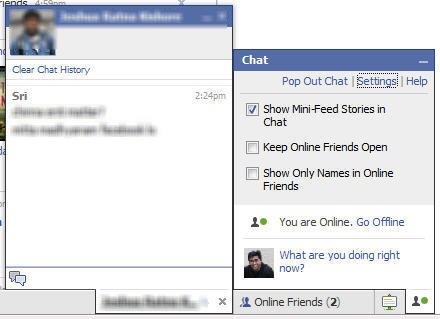
We’ve all experienced it – one minute you’re chatting with a friend via Facebook chat, and the next minute, you’re cut off. Worse, you might be typing in novella detailing the funny experience you had during the day, and then having to refresh your browser because the chat window just froze and wouldn’t respond no matter what you do. Yes, no one is denying it – Facebook Chat is as buggy as stale bread full of weevils. (So why do we continue using it? Darned if I know!)

Anyway, if Rodrigo Schmidt of Facebook is to be believed, we are soon going to enjoy an uninterrupted chat experience. Right on our favorite browsers. He says:

The good news: We’ve already made progress, and we’re taking some more big steps in the coming weeks. For example, in the past couple of weeks, we’ve already made Chat faster and more stable, fixed bugs and improved the technology on which it runs.

We know you want Chat to be hassle-free and uninterrupted. In the coming weeks, we will be making important improvements in the way connections are established and messages are sent, so that Chat will be much more stable for you and your friends.

The biggest improvements come from changes that aren’t supported on older web browsers. After evaluating the alternatives, we’ve decided to make rapid improvements and provide the best Chat experience possible, which means we will no longer support Internet Explorer 6 browsers.

I don’t know about you, but I haven’t really seen any improvements in the past couple of weeks. It’s not any worse, but it’s not any better either. Still, if Facebook wants to keep their users happy, they definitely will work on this feature. In the meantime, if any of you are still using IE6 (I highly doubt it), then you have a couple of weeks to switch.

The big question remains: will this move really make Facebook Chat better for all of us (regardless of the browser being used)? You tell me.

Photo credit: Greysquare

Filed Under: Browsers, Internet, Social Networks Tagged With: chat, Facebook Chat, IE6, Internet browsers, scoial networks

i3Space: Touchable 3D

June 11, 2023 by noemi

Who is not into 3D? Movies – and even TV series – are jumping into the 3D bandwagon, and people are only clamoring for more. Now, we have something to make us even more excited about the 3D realm. Leave it to Japanese inventors to call dibs on “touchable” 3D technology!

Japan’s National Institute of Advanced Industrial Science and Technology (AIST) just announced this new technology that they have been working on. Dubbed i3Space, this will allow people to experience 3D on their television sets in a way they have never done so before.

How does it work?

You will need a device that you have to attach to your fingertips. This device will give the person using it a sensory experience – both tactile and kinesthetic – as if he/she were touching the 3D image in real life. Talk about a “real” virtual experience (yeah, that oxymoron, I know). The technology makes use of multiple cameras, ensuring that there are no blind spots.

For now, we do not have all the details about the system, but news is that the Institute will be sharing more information on i3Space later on this month at the CEDEC 2010. This event is going to be held from August 31 to September 2, 2010 at Yokohama City, Japan. In case you’re wondering, the CEDEC is a conference for game developers.

That caught your attention, didn’t it? Yes – just imagine how awesome your gaming experience will be if i3Space were supported by your favorite gaming platform? The system is in its very early stages, but if things go according to plan, we should have something in the near future.

Photo credit: Tech-On

Filed Under: General, Media Tagged With: 3D, i3Space, Japanese technology

iTunes Is Safe. Are You?

June 11, 2023 by noemi

If you have an iTunes account that you use to purchase apps, songs, etc. for, then you were probably one of those who have been anxious in the past day or so.  Reports that iTunes has been hacked spread like wildfire the other day.  Posts in mainstream sites such as TechCrunch probably served to make people more anxious and alleviate fears at the same time.  I say people probably got more anxious because TechCrunch showed proof that unauthorized (at least by the account owners) purchases had been made, but at the end of the post, there is a statement from Apple saying that they have not been hacked (which is still kind of a good thing).

So what is really happening?  What happened?  If iTunes has not bee hacked, then why have so many people lost money via “illegal” purchases?

John Paczkowski of Digital Daily offers an explanation:

…not much to their assertion that Apple (AAPL) is at fault here. There’s no security hole in iTunes, and if you’ve been unfortunate enough to have hundreds of dollars in unauthorized purchases charged to your iTunes account, it’s likely because you’ve fallen victim to a bot attack or phishing scam–a variation on the one that’s been around for years now. Sources close to Apple tell me iTunes has not been compromised and the company isn’t aware of any sudden increase in fraudulent transactions.

More likely than not, the PayPal accounts of the affected users are the ones that had been compromised.  Bottom line: iTunes is safe.

The question is: how secure are your PayPal accounts?  This is happening now, it has happened before, it will happen again.  Remember all those tips about passwords and phishing.  They just might save you a whole load of money.

Filed Under: Internet, Media, Security Tagged With: hacking, itunes, paypal, phishing

Picplz: New iPhone App

June 11, 2023 by noemi

Apps for the iPhone are all over the place, and yet people are on the perennial quest to find a new one that they will obsess about.  For those who cannot get enough pictures and cannot wait to upload them to the Internet as soon as possible, here is a new iPhone app that will satisfy your needs easily: picplz.

This app has been around for a while, but not specifically for the iPhone.  It is developed by the founders of Imeem, the social media service that gained popularity several years ago.  In its heyday, lots of people availed of Imeem’s sharing service – videos, music, and photos.  It has been closed down, though, thanks to its acquisition by MySpace.

Anyhow, the same people behind Imeem have made picplz available for use on the iPhone.  It’s really not that revolutionary if you think about it  -it functions much like Twitter, except that it’s meant especially for photos.  Now that the iPhone has a decent camera, it is a simple matter to snap pictures and share them with your friends anytime.

You may be thinking – but there is a host of other apps that offer a similar service.  So why should anyone bother to give picplz a try?  For now, the value lies in instant uploading and tagging the location (which seems to be all the rage these days).  The founders are also working on providing more features in the future.  Besides, the app is FREE, so you really have nothing to lose by trying it out.  Oh, and this app is also available for Android phones.

Filed Under: Mobile, Social Networks Tagged With: android, iphone, iPhone apps, mobile apps, picplz

CopyTrans: The Easy Way to Back Your iPod Up

June 11, 2023 by noemi


Everyone loves just how easy it is to transfer songs to Apple iPods. Whichever kind of iPod you are using, the interface that iTunes offers is so simple and intuitive that even the most technologically challenged people I know do not have many problems filling their iPods up with music, images, and videos.

The reverse process – transferring files from an iPod to the computer – is a whole new story, though. I still remember when I got my first iPod (it was the black and red U2 one). I had no inkling about this “issue.” Needless to say, I got frustrated in the beginning.

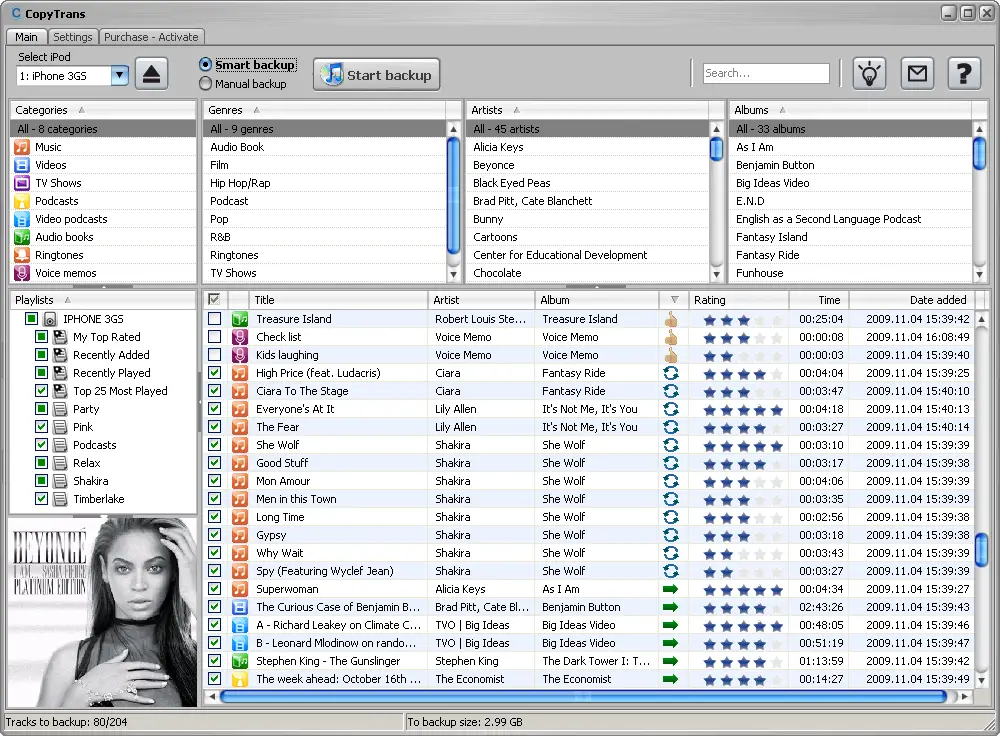
Today, though, this is not really a problem anymore. With a single click, you can easily back your iPod up and make sure that its contents are accessible on your computer as well. CopyTrans is a piece of software that can do this for you without you wanting to tear your hair out.

There are two modes – Smart Backup and Manual Backup. The first one is highly recommended for beginners. You simply click a button and you can make sure that your iTunes will have everything that your iPod has. It is the perfect choice if you just bought a new laptop (or you reformatted your hard drive) and your iTunes library is empty. It is also an easy way to “fix” your iTunes library if it is missing some songs that are in your iPod. No thinking necessary – just click and CopyTrans will do it for you! The Manual Backup mode is great for more advanced users who want more control over which files to transfer to the computer.

However way you want it, CopyTrans can do it for you. No more fussing about how to get those tracks from the iPod onto the computer! Oh, and yes, the newest version is compatible with the new iOS. For a mere $19.99, you get the convenience that you’ve always wanted. I want a copy myself!

Filed Under: Media, Software Tagged With: apple, back up, CopyTrans, iphone, iPods, Software

Is Your Privacy Online Protected?

June 10, 2023 by noemi

Practically everyone is online these days, and you can’t really keep track of all the information on you out there.  While you may be careful with what you post and what you do on the Internet, threats to privacy are very much real.  We’ve heard of horror stories about these issues all too often, but for those who haven’t experienced any problems, the threat may not seem that urgent. If you think this way, it is about time that you take a look at how protected you are.

Judging by the number of articles and posts on online privacy you can find, one should really take this issue seriously.  Here are a few ways by which you can make sure that your online privacy is protected.

Be smart with passwords

This is such a basic thing, but the need for solid passwords cannot be emphasized enough. Remember the simple rules: don’t use one password for all your accounts. Don’t use your name, your birth date, etc. If necessary, keep a file of all your passwords so you won’t have to worry about forgetting them.

Do not “engage” spammers in anyway

That means you automatically click SPAM. Do not bother to reply. Do not even click on the link that says “Unsubscribe” or something similar. Just click SPAM.

Don’t forget to log out

We used to own an Internet cafe many years ago, and I cannot count the instances wherein I would use a computer only to see that the previous user did not log out of Yahoo. You may say that you don’t use public computers, but it still is a good habit to develop.

For more tips and details, visit my sources for this post: The Telegraph and EFF.

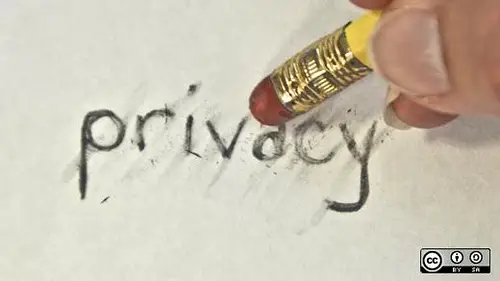
Photo credit: opensourceway

Filed Under: Internet, Security Tagged With: Internet, online privacy tips, Security

  • « Go to Previous Page
  • Page 1
  • Interim pages omitted …
  • Page 41
  • Page 42
  • Page 43
  • Page 44
  • Page 45
  • Interim pages omitted …
  • Page 105
  • Go to Next Page »

Primary Sidebar

Privacy Policy

Copyright © 2025 · News Pro On Genesis Framework · WordPress · Log in