• Skip to primary navigation
  • Skip to main content
  • Skip to primary sidebar
  • Internet
    • Browsers
    • Cloud Computing
    • Online Video
    • Search Engines
    • Web 2.0
  • Mobile
    • Android Apps
    • Apps
  • Software
  • Funny Stuff
  • Social Networks
  • Web Tools

Daily Bits

  • Home
  • About
  • Archives
  • Contact
  • Advertise

Internet

eBay Seeks Your Help to Make its Services Better via its Garden of New Features

April 28, 2023 by Arnold Zafra

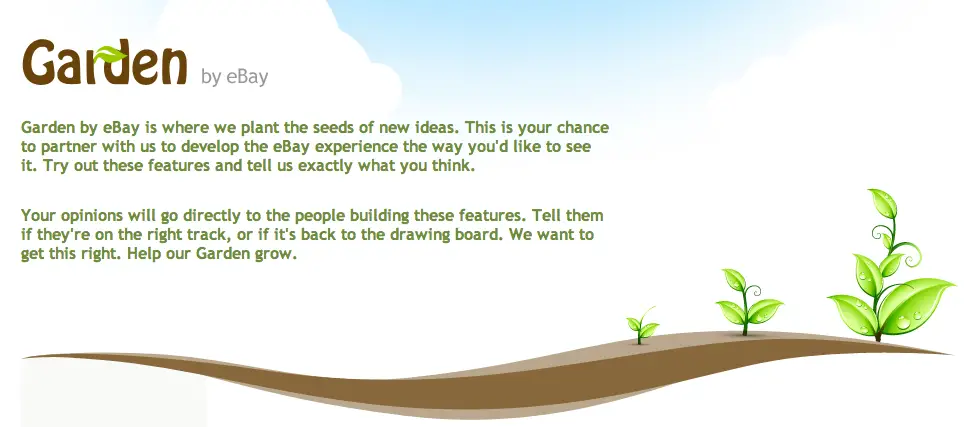
eBay has planted some seeds on its new garden to hoping to reap some valuable fruits later on, so to speak.  I’m talking about Garden by eBay which was just announced and is describe as an area on eBay that will allow eBay members to test new features and offer input on suggested improvements and changes on the eBay site.  Garden by eBay hopes to gather user inputs on initial concepts or seeds that it hopes to fully grow into a full product or feature. All for the glory of finding the best deals online, folks!

Alright, in other words, it’s Gmail Labs for eBay. But since, Labs is already an overused term, eBay decided to use Garden instead. Hence putting some environmental relevance to the project.

So, what does Garden by eBay actually offers? Or what is really, officially?  Garden by eBay is a new experimental space where eBay users can test, interact with, and offer input on existing or new ideas for eBay.com’s products and features. Member inputs will provided directly to the eBay team in-charge of new, proposed or existing eBay features. Hence, bringing sellers and buyers directly into the innovation process and letting eBay to introduce, test and roll out new features faster.

To kick off this project, there are currently two available seeds in the Garden. First is the new “Streamlined Search” which is intended to make browsing and viewing search results on eBay easier and streamlined. It presents a cleaner view of eBay inventory and a more efficient way of browsing items. It also lets users compare auction and Buy it Now listings side-by-side, refine seaches and other useful information.

The other available feature for testing is Diamond Ring Designer which has been under testing for quite some time now but eBay wants to get some more feedback from eBay users.

To access Garden by eBay, click here.

Filed Under: Internet, Web 2.0 Tagged With: eBay, garden by ebay

Five Coolest Super Bowl XLIV Commercials

April 28, 2023 by Arnold Zafra

So did you enjoy the Super Bowl game last night? Were you disappointed by the final game result?  Well, now that the game is over, how about checking out the other side of this year’s shindig – the SuperBowl ads? It is also the most anticipated highlight of this year’s Super Bowl, right?

There are actually two types of Super Bowl ads that were shown last night. Those which are general in nature and those that are technology related. We’ve selected five of these tech-related Super Bowl Ads as our favorites.

Google’s Parisian Love Super Bowl Ad

Google surprised everyone when their Parisian Love search-related commercial rolled out.  For one thing, it’s very simple and did not have all the fanfare that other commercials have.  Google’s Super Bowl commercial highlighted how useful its localized search engine is when it comes to everyone’s everyday life. [Read more…] about Five Coolest Super Bowl XLIV Commercials

Filed Under: Internet, Media Tagged With: super bowl ads, super bowl commercials, super bowl XLIV

Pages Creation Feature Graduates from Blogger in Draft

April 27, 2023 by Arnold Zafra

Since I stopped using Google’s free blog hosting platform, Blogger a long time ago, that doesn’t mean that I also stopped monitoring what’s been happening with the service. So, not so long ago Blogger introduced this feature for creating static pages and put it in their  “Blogger in Draft” beta feature testing site. Guess what? After a long time, that feature has finally graduated from beta and  is now an official Blogger  feature.

If you’re still running a blog hosted on Blogger.com and you’ve  missed this feature, now is the best time to try it out. Basically, what this allows you to do is to create static Pages that you can link to on your Blogger main page. You can create up to 10 static pages which can be for About page, your Biographical details, information about what you are blogging about and many other related information.

The process of creating a page is similar to the way you create a blog post. Once you’ve created a page, you can have it published on your main blog page using the Pages widget. If you’ve created several pages, you can even organize how these will be displayed on your blog’s main page.

This feature works well for blogs that use any of the default blog templates. For those who are using customized template on the Blogger blogs, the process of creating pages and organizing them is a little different and requires some knowledge of HTML and coding. You can check out the procedures for adding Pages tab on blogs with customized template from here.

You know what this mean? Those who want to create an online presence for themselves or for their businesses but do not want to start a blog, can now use Blogger.com to create their websites. And they don’t have to spend anything since the service is free.

Filed Under: Internet, Web Tools Tagged With: blogger, blogspot

E-Reader Owners Are Satisfied with their Device but Want More Features

April 27, 2023 by Arnold Zafra

The NPD Group has released a new report entitled “e-Reader Owners: Attitudes and Usage” and this could very well be used by Amazon in its drive to develop the Kindle into a more powerful and interesting ebook reading device.

Based on the report 93% of e-reader owners were found to be either “very satisfied” or “somewhat satisfied” with their device. A mere 2% expressed their dissatisfaction.

Additionally, 60% of the respondents said that the wireless feature of their e-Reader device was their favorite feature. The second most favorited feature was touch-capability with 23% of  the respondents saying so. Interestingly, among the many e-readers available in the market today, Amazon seems to be the one with the most stable wireless feature. So, does this mean that most of the respondents have the Kindle as their e-reader? While the 23% may not be Kindle users since only the Kindle DX has the touchscreen feature. Unfortunately, the report did not specify what are the respondents e-readers.

Another interesting finding of the report was that e-Reader owners are still looking for more features for the e-reader. Among those features that they are looking for include longer battery life, more book titles and color screens.

As we all know, Kindle doesn’t have a color screen, so Amazon is probably looking into developing a new Kindle that will support this feature.  And what great timing it is that Amazon was reportedly eyeing to buy a start up called Touchco. This company, as you may have guessed specializes in touch-screen technology. Some analysts say that Amazon is preparing its e-readers  for the entry of the Apple iPad by March.

Filed Under: General, Internet Tagged With: amazon, e-reader, iPad, kindle

Google Chrome 4 Supports Greasemonkey Scripts

April 26, 2023 by Arnold Zafra

If you’ve been using Google Chrome 4 as your web browser, you’ve probably installed several extensions right after it was launched recently. But if you feel like that currently available Google Chrome extensions is not enough, how’s 40,000 more extensions sound to you?

Yes, believe it or not there are around 40,000 new extensions which you can install/activate on your Chrome 4. Well, thanks to Greasemonkey user scripts which has just been supported by Chrome. If you’ve been using Firefox before, you’d know that these scripts lets you customize web pages through simple Javascripts

Actually the 40,000 extensions are basically the converted user scripts available on Greasemonkey before. And with Greasemonkey enabled, you can practically use these user scripts on your Chrome browser after it is converted into Chrome Extension.

Installing these  scripts is just like installing or activating the usual Chrome extensions. That means the process can be done easily.

Of course there’s caveat emptor here. These scripts are very powerful and even has full access to your data, so be cautious of what scripts your are going to activate. In addition, some Greasemonkey may not work with Google Chrome 4 just yet.

So there. To make Google Chrome 4 more fun and useful either you check out the extensions gallery or get more Greasemonkey scripts.

Filed Under: Internet, Web Tools Tagged With: Chrome Extensions, google chrome, greasemonkey

Gowalla Adds Trips and Bookmarking Features to its Fun and Useful App

April 25, 2023 by Arnold Zafra

Location-aware social recommendation sites are so hot today. Recently, I wrote something about AT&T’s plan to release its Buzz service, possibly to go up against Yelp, Foursquare and Gowalla. Yelp and Foursquare has been getting their share of publicity lately, and now here comes Gowalla with some nifty additions to its already interesting services.

If you haven’t used Gowalla either on your iPhone or on the web, the concept is pretty simple. You create an account, add Trips, Gowalla’s term for identifying places you’ve visited including your opinions about those places and share them with other Gowalla users. Whereas before, trips were curated by the Gowalla team, now you can create your own Trips, describe these Trips and add up to 20 spots that you have visited before and then published it for your friends to see via the Gowalla app that they are using.

To make adding Trips more fun, Gowalla will also start featuring unique and exciting trips. These trips will be promoted on the merits of their quality and relevancy and the number of people who completed the trip. Custom pins or badges, which are the stuff that make Gowalla more fun will be given to Gowalla members who have completed trips published trips by other members.

In addition, you can now create bookmarks of spot pages at Gowalla.com. You can then view your bookmarks from your iPhone. This will also be available to other mobile devices soon.

Alright, I know you’d appreciate these features if you’ve used Gowalla, either from the web or on your iPhone. If you haven’t tried it out, now may be the best time to do so. You might find it cool.

Filed Under: Internet, Mobile, Social Networks Tagged With: gowalla

  • « Go to Previous Page
  • Page 1
  • Interim pages omitted …
  • Page 20
  • Page 21
  • Page 22
  • Page 23
  • Page 24
  • Interim pages omitted …
  • Page 55
  • Go to Next Page »

Primary Sidebar

Privacy Policy

Copyright © 2025 · News Pro On Genesis Framework · WordPress · Log in