• Skip to primary navigation
  • Skip to main content
  • Skip to primary sidebar
  • Internet
    • Browsers
    • Cloud Computing
    • Online Video
    • Search Engines
    • Web 2.0
  • Mobile
    • Android Apps
    • Apps
  • Software
  • Funny Stuff
  • Social Networks
  • Web Tools

Daily Bits

  • Home
  • About
  • Archives
  • Contact
  • Advertise

Web Tools

Real-time Document Editing with Etherpad

March 2, 2023 by Arun

The real appeal of the web is how its reduced the time it takes to get your work done. And compared to other web based services, productivity software have established revenue models with offering premium services or hosted services specifically for businesses. A new start-up called Etherpad now adds another layer to online collaboration by supporting real-time editing of documents across the net.

Etherpad allows users to share the URL of the document with anyone and make real time changes to the document. Each user is assigned a background text color so they can track the changes as they are being made. The feature has its skeptics and supporters. Some contend that live editing is not a necessary requirement. But when it comes to note taking during meetings, or collaborating within a group on a piece of literature, this is one cool way to track of changes and edits.

Its not that other online text editors cannot support similar feature. Perhaps its not a feature on top of their wish-list. The service does not require any signing up.
Filed Under: Web Tools

40 Killer Gmail Tips

March 2, 2023 by Admin

The guys from Tech Radar compiled a list with 40 brilliant Gmail hints, hacks and secrets. If you are not using Gmail yet, well, you are with the minority. Here are the first 3 items on the list:

1. If you haven’t already created a Gmail account, you no longer need an invitation to do so. Just go to www.gmail.com and click Sign up for Google Mail.

2. Gmail blocks most executable filetypes as a virus protection measure. If you absolutely have to send EXE or DLL files to a colleague, use something like DropSend. You can send up to five files per month for free.

3. Attachments sent in formats that Google Documents can read can be opened direct in your browser. That list includes Word, Excel, PowerPoint, PDF, and RTF files.

Check the link above to read the full article.

Filed Under: Web Tools

Convert MIDI to MP3 Online and for Free

February 21, 2023 by Admin

I play the Saxophone, so I am often downloading MIDI files of songs, both to see how they are played, and to have a background track to play with.

Even if you are not a musician I am sure that you downloaded a MIDI file once or twice. You can find all sorts of things in that format!

Anyway one problem that I often faced was the fact that you can’t burn MIDI files directly into an audio CD (you need first to convert them into MP3). I downloaded a couple of conversion programs for Windows, but they all came with a 30-days license only.

Then last week I came across a website that does the trick. It converts MIDI to MP3 or WAV, online and for free. You can even specify the bit rate, the sound system, the volume and so on. Worth a bookmark if you play with MIDI files.

Filed Under: Web Tools

25 Incredible Skins, Resources & Tools for the Gmail Power User

February 11, 2023 by Skellie

Gmail is one of those rare things unanimously loved by everyday web users and tech-heads alike. The possibilities are endless. It can be anything from a simple email client to your central nervous system on the web. How far you take it is up to you.

Each day seems to produce a new hack, tool or tip for better Gmail use. In this post, I want to highlight only the very best, hand-picked from hundreds of resources. This is not another resource list you’ll bookmark and never look at again. These tips, monster resources and tools will change the way you use Gmail.

Best Gmail skins

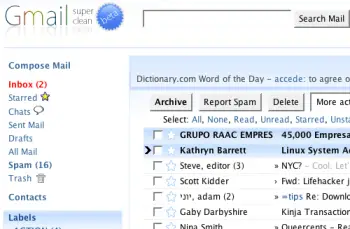
1. Super Clean skin — probably the most popular Gmail skin, Super Clean replaces the standard interface with a minimalist white and sky-blue version. Perfect for the budding Zen-master.

gmailsuperclean.png

2. Air skin — makes subtle changes to the visual interface, adding clean lines, a cloudy color combo and changes the primary font. The perfect solution for users looking for a fresh look without any radical changes.

gmailair.png

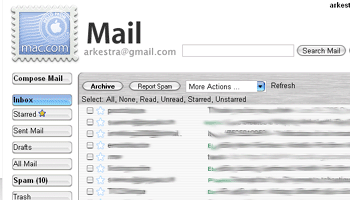
3. Mac skin — a Mac-inspired Gmail skin to match the Mac you’re checking your mail on! Adds a Mac-style menu and color-scheme to your Gmail account.

gmailmac1.gif

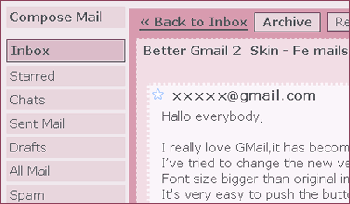
4. Fe Mail skin — a well-crafted and very pink Gmail skin.

femails.gif

5. Dark Gmail skin — almost the complete opposite to the last link, this skin is one for the dark and brooding Gmail user.

darkskin.png

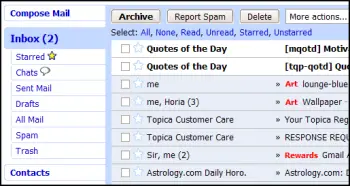
6. Silverstar skin — a popular minimalist gray theme.

simplicity.gif

7. Brushed skin — a gray and maroon theme with nifty gradients thrown into the mix.

brushed.png

Best Gmail resources

8. The Gmail Shortcuts Cheat Sheet — a comprehensive printable cheat sheet of useful shortcuts for Gmail. Print it and stick it to your desk: these shortcuts are worth memorizing. Did you know pressing ‘Tab’ and ‘Enter’ will send the email you’ve composed?

9. Gmail Craze: 40+ Tools and Hacks for Gmail — a frequently updated post from MakeUseOf featuring essential Firefox extensions, Greasemonkey Scripts, Desktop Apps, Web Tools, tips and hacks.

10. 55 Gmail tips — this website is dedicated to providing detailed Gmail tips. It covers everything from excluding chat from search results to importing Hotmail contacts.

11. Hack Attack: Become a Gmail Master — this fantastic guide from Lifehacker introduces Gmail’s most powerful capabilities in a way that’s easy to follow. It will help take anyone only familiar with Gmail’s basic functions to the next level.

12. Use Gmail as Your Universal Email Account — got too many email addresses to keep track of? Forward them all to Gmail and deal with your incoming mail from one central location.

13. Ultimate Gmail Collection: Over 80 Tools and Tips — a monster list of extensions, scripts, apps, notifiers, how-tos and shortcuts for the serious Gmail user.

14. Turn Gmail Into Your Personal Nerve Center — influential technology blogger Steve Rubel shares his essential Gmail life hacks, including:

  • How to turn Gmail into a massive personal database
  • How to get real-time news updates in Gmail
  • How to automatically store your bookmarks in Gmail
  • How to manage Calendar and To-Dos in Gmail
  • How to blog from Gmail

15. 1 Awesome Gmail Tip You Didn’t Know About. Seriously. — this easy tutorial explains how you can customize your Gmail address to serve different purposes.

16. Gmail Toolbox: 60+ Tools for Gmail — Mashable.com works its magic with a huge compendium of Gmail tools. It includes all the extensions you know and love in addition to some (previously) undiscovered gems.

17. Access Gmail When It’s Blocked at Work or School — Engtech provides five strategies you can use to check your Gmail anywhere, even when the I.T. department doesn’t want you to.

18. Mark Spam Messages as Read — this simple filters hack allows you to prevent your unread spam count showing in the main display. Best of all, it will still alert you to items that have been incorrectly marked as spam.

19. Gmail Tips and Tricks: Monster Roundup — Lifehacker’s big roundup of its favorite Gmail downloads, hacks and articles.

Best Gmail tools

20. Gmail Drive — this tool puts Gmail’s extensive storage capacity to use, adding a new drive to your computer which can be accessed via Windows Explorer. You can create folders and drag and drop files within the drive. If you’ve got unused space in your Gmail account, why not add some more space to your hard drive?

21. GTD Inbox — the email solution for productivity nuts, GTD Inbox is a Firefox extension designed to merge the “Getting Things Done” productivity method with Gmail. It transforms Gmail into a productivity hub you can use to set and manage tasks or to-dos. The interface is very subtle and won’t interrupt the look and feel of Gmail as you know it.

22. Better Gmail 2 — this simple and elegant Firefox extension, authored by Gina Trapani, makes several improvements to Gmail’s core functionality, allowing you to hide the ever-annoying Spam count, compose Mailto links in Gmail and view your storage quota as a useful graph. If you’re still using the old version of Gmail, you’ll need to download the original Better Gmail extension.

23. Gmail Music — this nifty little web-based GUI app allows you to store MP3 files in your Gmail account and play them on any computer.

24. Dragdropupload — a Firefox extension that does away with the pesky ‘Browse’ interface. It enables drag and drop email attachments to make the process quick and painless.

25. Gmail Skins — a Firefox extension to customize the color of your Gmail inbox.

Suggest your favorite skins, resources and tools in the comments section!

Filed Under: Web Tools Tagged With: gmail, power, resources, skins, tools, user

The Most Complete Showcase Of Web Tools In 2022

June 3, 2022 by DailyBits

Are you into website design and building? With the growing demand for such, it is always advantageous to be equipped with the latest tools to make you stand out from the rest. Here’s a list of more than 50 web tools to try out  –

  • SEO agencies
  • Web development companies
  • low code solution
  • Free Website Maker
  • WordPress themes and plugins
  • Premium website builders
  • ultimate online to-do list for getting work done
  • And more.

[Read more…] about The Most Complete Showcase Of Web Tools In 2022

Filed Under: Web Tools Tagged With: online web tools, seo tips, website design

6 Technical Tools to Help Writers

March 31, 2021 by DailyBits

As more and more writing gigs become available, the competition also becomes tighter. If you are hoping to add more value (that is – finally increase your hourly rate), you should be able to provide high-quality work to your clients and even exceed their expectations. Having the perfect topic is one step but assuring quality content that adheres to strict requirements is another. This is when writing tools and resources become handy especially if you aim to cater to more projects and earn a little bit more. So, let’s take a closer look at these tools and take a pick. [Read more…] about 6 Technical Tools to Help Writers

Filed Under: Web Tools Tagged With: writer tools, writing apps

  • « Go to Previous Page
  • Page 1
  • Interim pages omitted …
  • Page 10
  • Page 11
  • Page 12
  • Page 13
  • Page 14
  • Interim pages omitted …
  • Page 16
  • Go to Next Page »

Primary Sidebar

Privacy Policy

Copyright © 2025 · News Pro On Genesis Framework · WordPress · Log in