• Skip to primary navigation
  • Skip to main content
  • Skip to primary sidebar
  • Internet
    • Browsers
    • Cloud Computing
    • Online Video
    • Search Engines
    • Web 2.0
  • Mobile
    • Android Apps
    • Apps
  • Software
  • Funny Stuff
  • Social Networks
  • Web Tools

Daily Bits

  • Home
  • About
  • Archives
  • Contact
  • Advertise

General

Best Online Flash Games: Winterbells

February 18, 2023 by Loki

My friends introduced me to this game called Winterbells, and I want to share it with you as well. The game’s rules are simple. You will assume control of a cute little rabbit and jump from bell to bell (and the occasional bird to double your score). But be warned, this game is very addicting, as you aim for a literally skyrocketting score.

I recommend playing this game when you’re bored from work or fed up with assignments. It is will help soothe you, what with the mild snow, the white bells, and the adorably cute rabbit. The soundtrack is not bad either, so check it out.
Filed Under: General

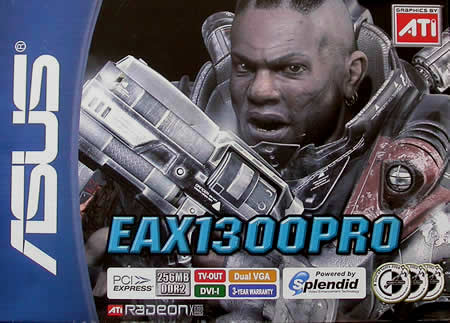
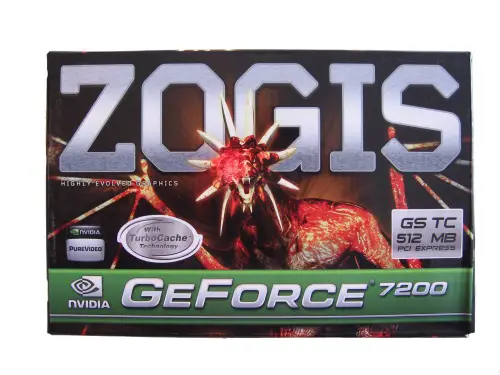
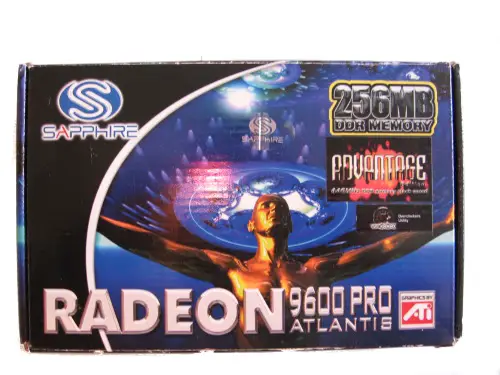
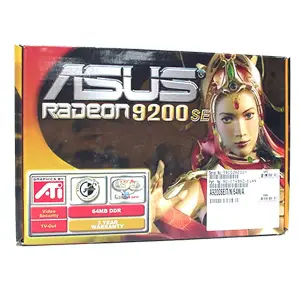
A Tribute to the Box Art of Video Cards

February 18, 2023 by Admin

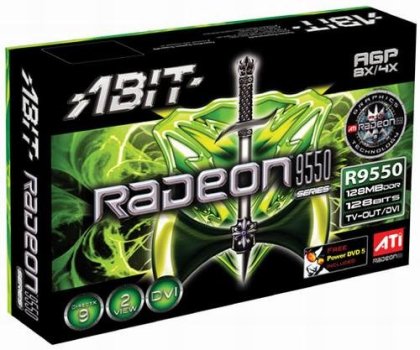
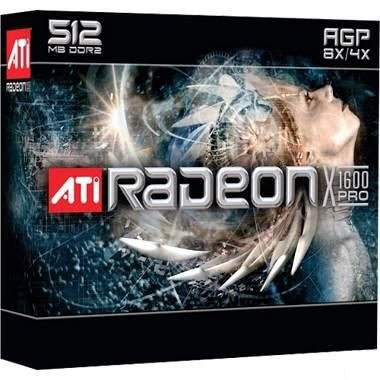
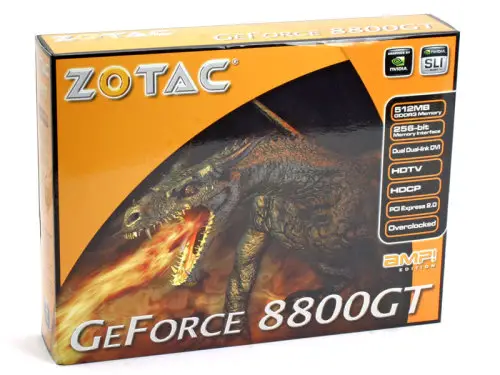
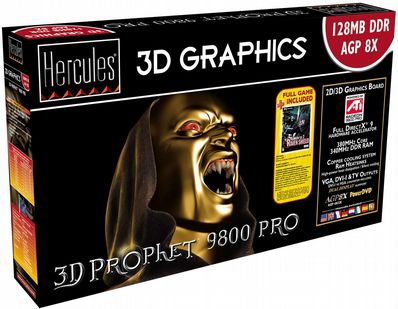
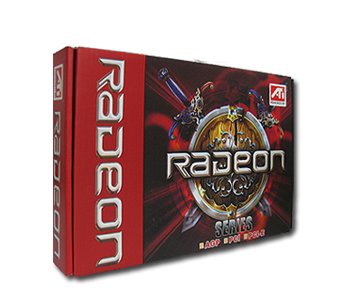
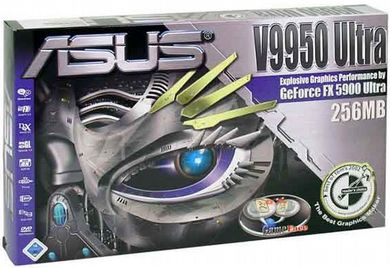
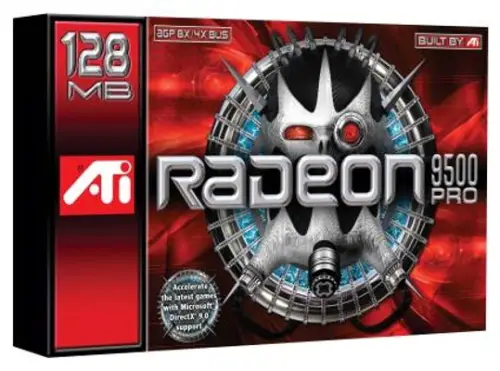
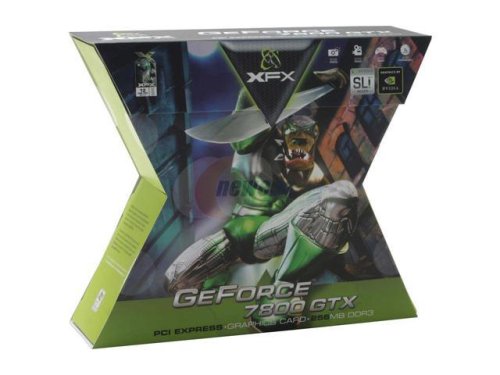
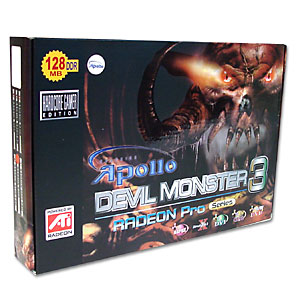
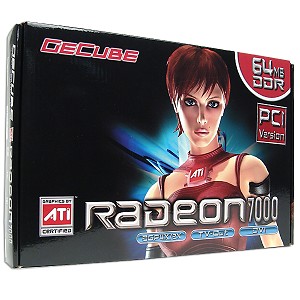
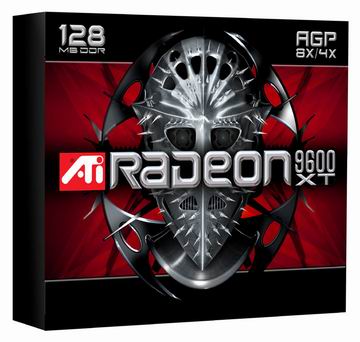
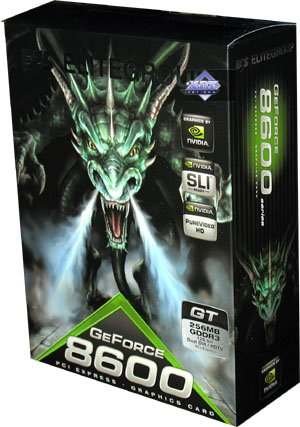
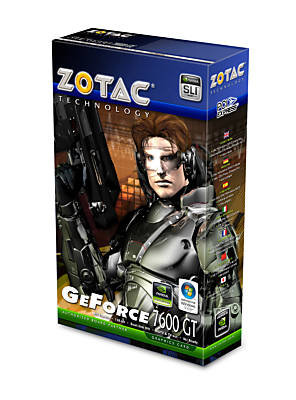
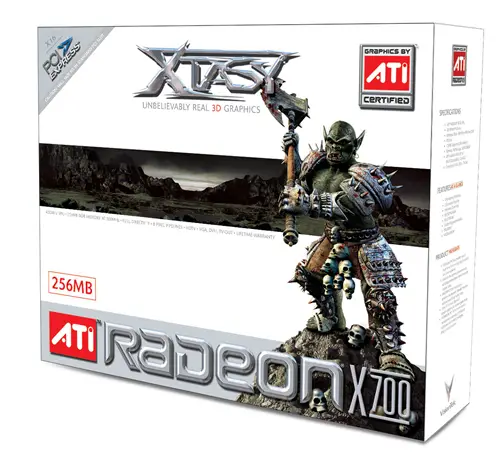
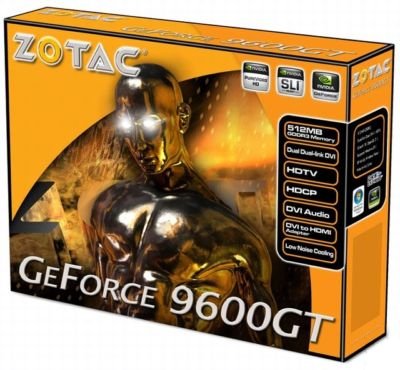
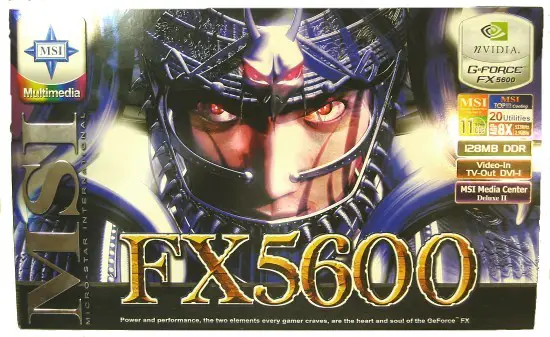
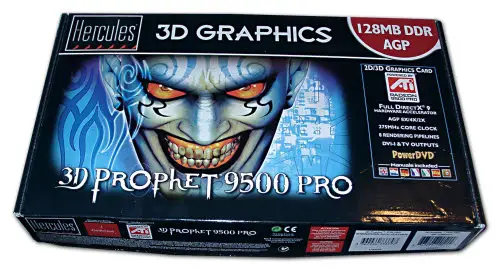
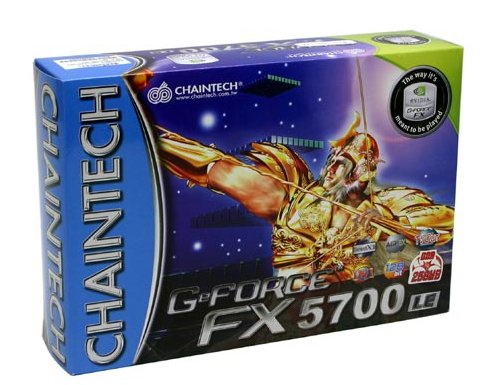
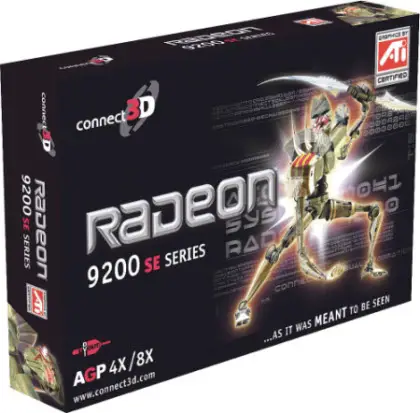
It might be a geek thing, but since I was a teen and started playing with computers I have always admired the box of video cards. They always had some beautiful graphic art. Dragons, knights and other creatures that inspired my fantasies about the games I would play.

Thinking about that I decided to create a collection with pictures of video card boxes. Enjoy.


Filed Under: General

AdAge Claims Online Advertising is Overhyped

February 17, 2023 by Admin

And I don’t agree with it.

Their first argument is this one:

The inconvenient truth is that for all its new-media spin, display advertising is “old” media — a commercial message to be placed next to editorial or entertainment content. And we know by now that measured-media growth has pretty much ground to a halt as marketers continue to increase their dollars in unmeasured disciplines such as web development, public relations and database marketing at the expense of paid advertising.

Well, I think there is a huge different between an ad that appears on a paper newspaper and ones that appear on the online website of that same newspaper. For one thing, the results of the latter are much more measurable. You can track how many times the ad got displayed. How many people clicked on the ad. How many people ended up purchasing a product after that click. Heck, you could even know the country, browser and operating system of the people that saw the ad.

When hard economic times come, companies will want to spend their money in places where they can track the results more efficiently.

The the article questions:

Sure, dollars are shifting within those media budgets, with some moving out of traditional media into interactive. But most of the top 100 advertisers that wield the big budgets are still primarily TV and print spenders. The question is: Should the fact Procter & Gamble spends only 1.5% of its marketing budget on display ads be viewed as a warning signal by online ad sellers, or as an opportunity

The author of the article apparently thinks that this is a warning signal, he goes: “For all its glory, the internet still has not proven itself capable of being a primary branding medium.”

Well I think he is wrong, I think that the fact that the advertisers still spend 90% of their money on television is definitely an opportunity for online advertising. Why? Because eventually everything is going to migrate to the web. That is, everything is going to travel on IP. Your television, your telephone conversations, and even the bits that your fridge will send to the local supermarket when you run out of beer cans.

Sure it might still take some years for that to realize, but it is a matter of when and not a matter of if.

As a result, I think that online advertising will keep growing strong, and perhaps new forms of advertising will emerge, but they will certainly be based on web technologies.

Anyway you can read the full article here and take your own conclusions.

Filed Under: General

The Basics of Programming

February 11, 2023 by Loki

Programming – the process of creating a source code for a specific software (or simply a solution to a problem), became a common skill nowadays especially since people tend to become more aware of virtual existence. It stands as a means of communication and interaction between a machine (which only “knows” ones and zeros) and a human (who practices a more complex language), the latter being the master of the former. Further, it is a phase in the software development cycle where you employ all data gathering and analysis output into the project.

When programming, one has to learn specific skills. I have divided them into four categories for better understanding.

1. Requirements of the Program

A programmer, both amateur and professional, first has to discern the problem or set of problems he wants his program to solve. He has to pinpoint each involved process in the problem so that it will be given enough attention (and corresponding codes) later on.

Let’s take the Fibonacci number sequence problem for example. During my college years, our class was given this exercise where we need to create a Fibonacci number sequence. The number of identities to be added and the limit of numbers are defined by the user. For example:

If the user wants two identities added limited to seven numbers, then the sequence would be:

0 1 1 2 3 5 8

where there are seven output numbers, and, starting from the first two numbers 0 and 1, the program adds two consecutive numbers, the product of which becomes the next number of the sequence.

However, if the user wants three identities added limited to nine numbers, then the sequence would be:

0 1 1 2 4 7 13 24 44

with nine numbers, the first three numbers (0 1 1) starting the sequence before the addition pushes through.

Breaking down the Fibonacci sequence problem, a programmer should basically:
a. be able to generate the first zero and a preset number of ones based on how many identities the user wants to add;
b. be able to determine the time when the program starts to add identities of the sequence;
c. store and output the number after the above process is finished; and
d. count the number of output numbers in such a way that it meets the limit of the user. Upon determining those, I was able to determine the requirements of the Fibonacci problem posed by our professor.

2. Understanding of Algorithms

After addressing the problems for which a programmer will be designing a solution program to, he should do some planning. In the field of computing, this is done through algorithms, a defined set of instructions for a specific programming problem. Algorithms loosely determine what goes on during the start of the program, the processing of data into information, and, of course, the end of the program.

The two commonly used forms of algorithms are flowcharts and pseudocodes. Flowcharts are graphic representations of a program that utilize shapes like ovals and parallelograms for a certain process phase within the program, and arrows for the program flow after a specific process finishes. They simply define the program content and flow, letting the programmer visualize and evaluate the processes involved in a program with ease.

On the other hand, pseudocodes are descriptions of a computer program in a very informal language. A pseudocode uses simple, worded descriptions very close to the human language as compared to a syntactical programming language. However, pseudocodes usually follow the format of programming statements like conditional and looping structures. Programmers only describe what triggers a condition and what happens within a loop instead of actually putting in variables, values, and arguments.

Algorithms are often neglected by programmers in the sense that programmers are bound by deadlines, and algorithms take some time to create. However, despite the time waste, programmers can easily put algorithms into code since algorithms themselves are loose descriptions of the code. It will actually save more time if programmers are to flowchart or pseudocode than practicing the faulty trial-and-error programming style.

3. Knowledge on Programming Structures

Programming structures define a great part of programming. They actually compose the greater bulk of programming in the sense that output-yielding processes are usually the byproducts of any of the following simple structures: concatenation, selection, and repetition (as identified by Edsger Wybe Dijkstra, a Dutch computer scientist).

Further, a programmer can also use the more complex, object-oriented form of computing using objects, classes, and methods. These three are then bound by several concepts for interaction: inheritance of behaviors and attributes, encapsulation of classes and of objects, abstraction of certain classes or objects to handle a specific segment of the problem, polymorphism of parent and child class members, and data passing that triggers methods.

I remember the time when I had to study mathematical logic as a prerequisite of computational logic and programming structures. A great way to understand mathematical logic is by learning its basic form, symbolic logic, from where it is derived.

Symbolic logic studies the properties of, you guessed it right, symbols. The simplest area tackled in this field involves the five logical operators: conjuction (AND), disjunction (OR), implication (IMPLIES), equality (EQUALS), and negation (NOT). The first four are binary operations requiring two values, while negation needs only one. Let’s check the yields of two propositions of differing values based on the first four operations:

Table of Symbolic Logic Operations

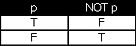
Now, let’s look at a simpler table of negation:

Table of Symbolig Negation

These tables can help determining results of logical operations, one of the widely used values in programming, the other being stated or assigned values.

4. Expertise on Programming Languages

Programming languages are the means for a human to communicate with a machine. Compared to the human language that is used for interaction, programming languages are often constrained to yield results. They are meant to instruct machines to perform specific tasks. Also, they can manipulate and influence programs and applications via data sent and received.

There is a great variety of programming languages out there, and they can be classified based on use. The succeeding paragraphs detail some of the programming languages I was able to use.

Common languages like C++, COBOL, and Java (often used with compilers or translators, programs that interprets high-level computer language to low-level language understandable by machines) are used for “behind-the scenes” programming. They inspired the birth of other languages, and are best used for studying the ins and outs of programming.

Languages like Prolog and Jess, on the other hand, are better used for problems that require activation of rules to function.

Further, languages like Turbo Assembler or TASM and GNU Assembler or GAS are nondescript interpreters of machine languages, working mainly for instructing machines at low-level communication.

Although not strictly classified as programming languages, scripting languages like PHP and JavaScript are still used for creating programs, but they are better used in defining applications. They slowly invade web designing too, since they can provide wider functionality and can accommodate client-based processes.

There are many other languages that one can use for a specific type of problems too, so exploring different languages and their functions and applications isn’t a bad idea. Actually, with a vast virtual world, there is a multitude of programming languages to choose from. One shouldn’t be limited to one or two programming languages since problems can exist from as small as a Fibonacci sequence generator (as shown above) to a creation of a complex system that manages contents of, say, Daily Bits.

Filed Under: General Tagged With: algorithm, Fibonacci, language, Programming, pseudocode

Top 10 Ubuntu Linux Games

February 8, 2023 by Admin

Many Windows users are reluctant to switch to Linux because they like to play games once in a while. While this theory holds true to hardcore gamers (the Windows platform does have some exclusive and popular titles), the same cannot be said about casual gamers.

The open source community has being busy developing a myriad of games for the Linux platform, and most of them are as fun as their PC counterparts. Recently I came across an article titled “Top Ubuntu Linux Games,” which listed the most popular ones. Here they are:

  1. Tremulous
  2. Grid Wars
  3. VDrift
  4. World of Padman
  5. Nexuiz
  6. Scorched 3D
  7. Glest
  8. Battle for Wesnoth
  9. Urban Terror
  10. BZFlag

Filed Under: General Tagged With: 10, Games, linux, top, ubuntu

Free Linux eBooks

February 8, 2023 by Admin

A couple of months ago I made the switch from Windows to Linux, and I doubt I will ever look back. Sure, sometimes business endeavors force you to use Windows applications, but other than that Linux gets the job perfectly done.

If you are considering to migrate to Linux as well, or if you have already been using it for a while but want to improve your knowledge, you might want to check the free Linux eBooks library on Homelinux.org.

You will find pretty much everything you need, from tuning the performance to shell scripts and kernel programming. Below you will find my favorite ones:

  • Easiest Linux Guide Ever
  • Linux in a Windows World
  • Migration Guide
  • Practical Linux
  • Ubuntu Hacks, Tips and Tools

Filed Under: General Tagged With: ebooks, free, homelinux, linux, ubuntu, windows

  • « Go to Previous Page
  • Page 1
  • Interim pages omitted …
  • Page 26
  • Page 27
  • Page 28
  • Page 29
  • Page 30
  • Interim pages omitted …
  • Page 116
  • Go to Next Page »

Primary Sidebar

Privacy Policy

Copyright © 2025 · News Pro On Genesis Framework · WordPress · Log in