• Skip to primary navigation
  • Skip to main content
  • Skip to primary sidebar
  • Internet
    • Browsers
    • Cloud Computing
    • Online Video
    • Search Engines
    • Web 2.0
  • Mobile
    • Android Apps
    • Apps
  • Software
  • Funny Stuff
  • Social Networks
  • Web Tools

Daily Bits

  • Home
  • About
  • Archives
  • Contact
  • Advertise

Web 2.0

Google Turns Email Notifications for Wave

May 6, 2023 by Arnold Zafra

I know for a fact that Google Buzz and Google Wave are two different services. But we can’t discount the fact that their functions are almost similar.  So let me ask you this question, since Google Buzz was released, are you still using Google Wave? If yes, then you’d be glad to know that Google has just activated email notification for Google Wave.

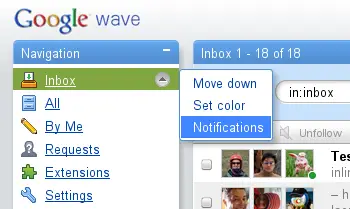
Google Wave’s notification works just like all the other Google notification systems – Buzz, Email Alerts for specific search results and others. It sends you email alerts whenever a wave that you are participating in gets an update or whenever a new Wave has been created by your Google Wave contacts. The notification contains a short summary of text and links that will lead you straight to the updated waves. Once you’ve checked out a wave, Google will stop sending the notifications related to that wave.

The feature also lets you select the frequency of email updates that will be sent to you. It could be as often as “immediately,” and you can select which of your friends you will like to receive notifications from, whenever they create a new wave or update an existing one.

Now, should you decide to use this feature, expect to encounter the following known issues so far, which Google is currently resolving. But don’t let this stop you from trying out the new Google Wave notification feature.

  • Sometimes the email snippet does not show all participants on the wave
  • Under certain conditions you may get an update about a wave even if you were the last person to change it
  • To change the notifications setting you have to go back to the menu where you turned it on. (The link at the bottom of the notification emails is not working yet.)
Filed Under: Internet, Web 2.0, Web Tools Tagged With: email notification, google wave

10.5 Million Blogs Go Real-Time with Pubsubhubbub

May 5, 2023 by Arnold Zafra

All WordPress.com hosted blogs just beaten others in becoming a really real-time online content property. Thanks to Pubsubhubbub or PuSh as what some people have shortened it to, each and every posts you published on your WordPress.com blog will now be pushed automatically, in real time to the web. This means, real-time feed push to RSS aggregators such as Google Reader, Bloglines, Friendfeed, Netvibes and others.

Basically, what PuSH does is to let your feed aggregators  to register automatically to receive updates from your blogs each time you publish new posts. These updates are sent out within a second or two after you publish a content. Previously, the process is a bit tedious since your blog is periodically being asked by these aggregators if there are any updates before notifying those who are using the service.

The service was automatically activated  for all WordPress.com blogs, so there’s nothing that you need to do to get it going. If you’re blog is not hosted on WordPress.com, you can still have this feature by installing a new plugin which you can download from  here.

And if you want some more information about PubSubHubBub, you can may want to check out project site or the Google groups. If you don’t have any idea what PubSubHubbub is – TheNextWeb describes it as:

An open protocol for distributed Publish/subscribe communication on the internet. The main purpose is to provide near-instant notifications of change updates, which would improve on the typical situation where a client periodically polls the feed server at some arbitrary interval.

Filed Under: Internet, Web 2.0, Web Tools Tagged With: pubsubhubbub, real time, wordpress.com

Sugarsync Now Lets You Upload Docs as Email Attachments

May 3, 2023 by Arnold Zafra

Isn’t it funny that even up to now, despite the many advances in cloud computing, file sharing and uploading which can be accessible on various platforms, many people still prefer to share files through email? So to remedy this and offer its customers a convenient way of sharing files, SugarSync, a file syncing solution is offering a subscription service which would only cost you $4.99 a month.

The new SugarSync feature will let you email files to your friends and business contacts easily from any computer terminal and other mobile devices such as your smartphones.  After emailing the file attachment, SugarSync syncs them with your other SugarSync interface.

The new service is being offered as an opt-in feature which will allow you to disable and enable it anytime you want to. Upon signing up for the service, SugarSync will provide you with an email address where you can send your files. This email address are spam-free since it is composed of randomly generated numbers.

If you want to try the feature, you need to enable it from your SugarSync account settings. Once you’ve enabled the feature, the unique email address will be given to you. And to make it easier for you to use that email address, you can instruct SugarSync to send you an email containing the email address so that you can easily add it to your email contacts.

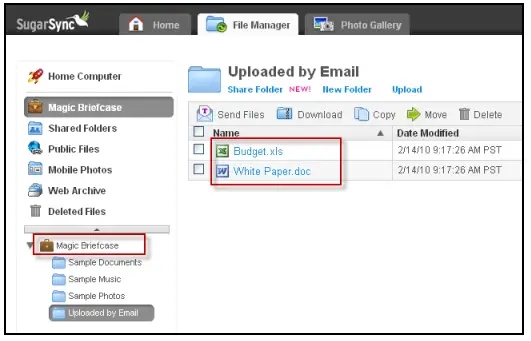
Once you’ve uploaded files, these will be stored in your Magic Briefcase, specifically in a folder labelled “Uploaded by email.”  This folder will be automatically synced to your SugarSync account so that you can access it from anywhere.

Filed Under: Web 2.0 Tagged With: file management, file storage, file sync, sygarsync

eBay Seeks Your Help to Make its Services Better via its Garden of New Features

April 28, 2023 by Arnold Zafra

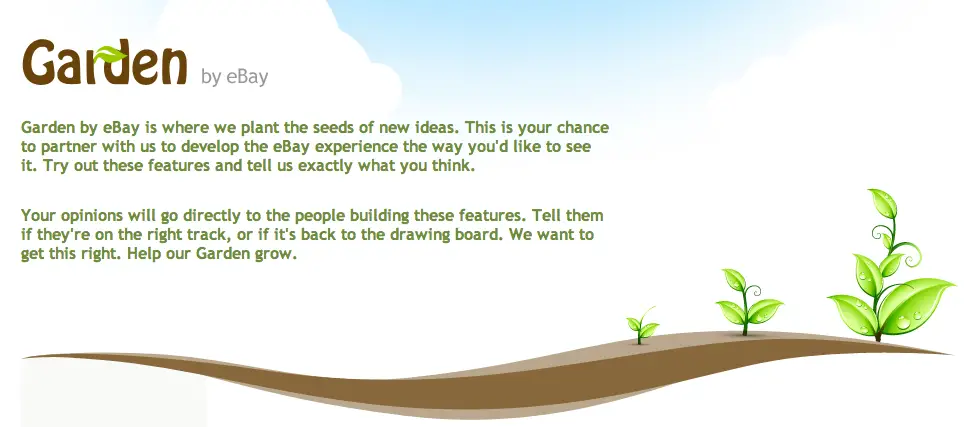
eBay has planted some seeds on its new garden to hoping to reap some valuable fruits later on, so to speak.  I’m talking about Garden by eBay which was just announced and is describe as an area on eBay that will allow eBay members to test new features and offer input on suggested improvements and changes on the eBay site.  Garden by eBay hopes to gather user inputs on initial concepts or seeds that it hopes to fully grow into a full product or feature. All for the glory of finding the best deals online, folks!

Alright, in other words, it’s Gmail Labs for eBay. But since, Labs is already an overused term, eBay decided to use Garden instead. Hence putting some environmental relevance to the project.

So, what does Garden by eBay actually offers? Or what is really, officially?  Garden by eBay is a new experimental space where eBay users can test, interact with, and offer input on existing or new ideas for eBay.com’s products and features. Member inputs will provided directly to the eBay team in-charge of new, proposed or existing eBay features. Hence, bringing sellers and buyers directly into the innovation process and letting eBay to introduce, test and roll out new features faster.

To kick off this project, there are currently two available seeds in the Garden. First is the new “Streamlined Search” which is intended to make browsing and viewing search results on eBay easier and streamlined. It presents a cleaner view of eBay inventory and a more efficient way of browsing items. It also lets users compare auction and Buy it Now listings side-by-side, refine seaches and other useful information.

The other available feature for testing is Diamond Ring Designer which has been under testing for quite some time now but eBay wants to get some more feedback from eBay users.

To access Garden by eBay, click here.

Filed Under: Internet, Web 2.0 Tagged With: eBay, garden by ebay

Facebook Preps Up Help Center for 2010’s Surge in Userbase

April 20, 2023 by Arnold Zafra

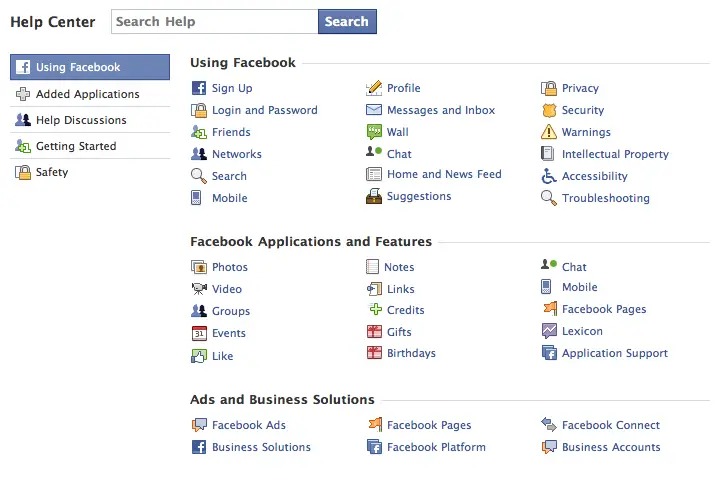
Screen shot 2009-12-29 at 8.16.30 AM

As early as now, Facebook is already gearing up for possibly a surge in membership base come 2010.  And first from Facebook’s list of feature improvement is something that we may have never checked at all in our entire Facebook life – the Facebook Help Center.

Yes dear readers, there is such a thing. If you’re aware of this Facebook section, let me ask, when was the last time you’ve read it? Or did you read it at all before you begin your Facebook life?

If you haven’t check it out before, now is probably the best time to do so, as Facebook recently made some changes to the Help Center to make it more – helpful especially for Facebook newbies.

Some of these improvements include, a new search interface, navigation filters on the left side, separate user-to-user support, new privacy and safety pages, separate user-to-user support navigation and unique web addresses or URLs.

The Facebook Help Center is loaded with useful information about making your lives better, easier and more fun as you become part of the Facebook community. So, there’ s no harm in actually visiting it from time to time.  What? You don’t know how to access it? Just hover your mouse cursor on the Settings tab and select “Help” from the pull-down options. Better yet, just click on this link to visit the Facebook Help Center.

Filed Under: Social Networks, Web 2.0 Tagged With: facebook, Help Center

Twitter’s New Mobile-Optimized Site Might Kill Third-Party Apps

April 15, 2023 by Arnold Zafra

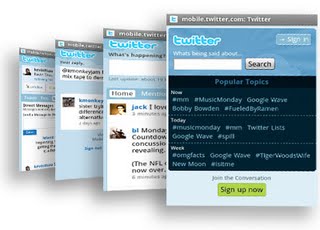
A post at the Twitter blog  has just just revealed a surprising fact – there are still many Twitter users who access their account on their mobile phones using Twitter’s mobile site.  So, to make their experiences more pleasant Twitter has just revamped its mobile browser-optimized site. m2-medlyIt was really surprising that there are still many Twitter users who access their account through the old mobile site despite the fact that there are several third party Twitter apps available. Whether you are using an iPhone, Android phone, Nokia S60 and Palm Web OS phones, you will surely find one or two Twitter apps that you can download for free or for a minimal fee.

Anyway, the new Twitter mobile browser-optimized can be found by pointing your phone’s browser to http://mobile.twitter.com. And one thing I can say about this new site is that it’s an all new look – almost similar to how Twitter apps look and feel like.

Feature-wise the new mobile site offers just about the basic stuff that you can do on Twitter – post tweets, view DMs, Retweet tweets and more. What it won’t allow you to do is to access multiple Twitter accounts at the same time. But if you’re just using one Twitter account, the new mobile site has enough features to please you.

This made wonder whether Twitter is hitting on the third-party apps that have kept the interest of mobile users into using Twitter on their mobile phones? Like I said, the new Twitter mobile site is as good as what you can get from those third-party apps.

So, if you haven’t downloaded any third-party Twitter app, would you be using this new mobile site instead?

Filed Under: Social Networks, Web 2.0 Tagged With: Twitter

  • « Go to Previous Page
  • Page 1
  • Page 2
  • Page 3
  • Page 4
  • Page 5
  • Page 6
  • Go to Next Page »

Primary Sidebar

Privacy Policy

Copyright © 2025 · News Pro On Genesis Framework · WordPress · Log in