• Skip to primary navigation
  • Skip to main content
  • Skip to primary sidebar
  • Internet
    • Browsers
    • Cloud Computing
    • Online Video
    • Search Engines
    • Web 2.0
  • Mobile
    • Android Apps
    • Apps
  • Software
  • Funny Stuff
  • Social Networks
  • Web Tools

Daily Bits

  • Home
  • About
  • Archives
  • Contact
  • Advertise

Stop Forgetting Those Birthdays

April 2, 2023 by Admin

remimeIf you are anything like me you are always forgetting the birthdays of friends and family members. Usually I remember the dates of my mother, my father and my brother, and that was about it.

Then a couple of weeks ago I thought to myself: “There must be an online application out there that will let me input birthday dates, and then it will email me one week ahead or so.”

After researching a bit I found a site called Remime.com. It does exactly that. Once you create an account you will be able to input all the birthdays of your friends and family, and the service will email you a notification so you won’t forget them. You can even decide if you want to be notified one week before the date or on the day itself.

It is a pretty cool service, and it is also free, so check it out.
Filed Under: Web Tools

6 Websites to Make Music Online

April 2, 2023 by Admin

Whether you are a music artist or someone just wanting to kill some time, I am sure you will have fun with the websites listed below.

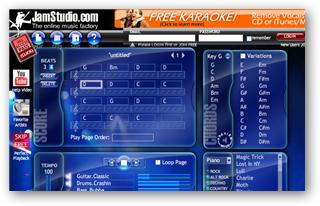
1. JamStudio: An online music creation tool with a very user friendly interface. Simply input the notes, choose the instruments and hear the results.

jamstudio

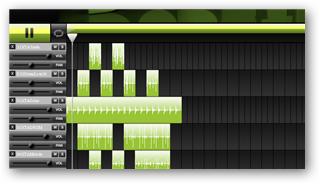
2. DubStep: Created by LoopLabs, this online music mixer will let you create a wide range of electronic tracks. It comes with a big database of drum sounds, synths, bass sounds, keyboard and sound effects. Just mix them together and see what will come out.

dubstep

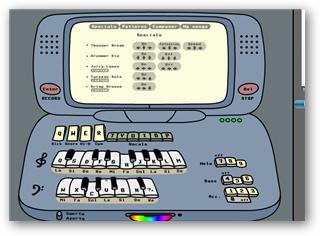
3. Tony-B Machine: Quite an addictive little piece of software. You get a melody playing in the background, and you can press different buttons to add effects, vocals, change the key and so on. Use your keyboard and you will start feeling the groove.

tony-b-machine

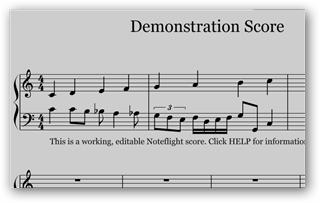
4. Noteflight: If you are a serious musician, Noteflight will allow you to create compositions online. It basically lets you create, store and hear to music notations online, with surprising quality.

noteflight

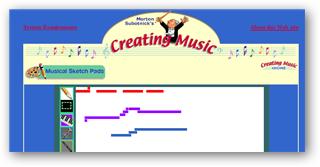
5. CreatingMusic: If you have young kids, this website is a nice resource to get them interested in music. They have a Java application that will let your kids make music online. The interface is very simple: you just need to select the instrument is draw the sound on the screen.

creating-music

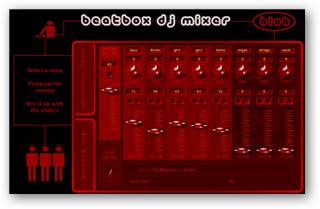
6. Beatbox DJ Mixer: A fun little tool that lets you mix tracks online. You need to choose songs among their preloaded collection, but there are some nice songs there. After that you mix the track controlling different channels, and you can save the results.

beatbox-online

Filed Under: Web Tools

Give Some Cool Effects to Your Pictures

April 2, 2023 by Sam

I just found a site where you can make some really funny pictures, called Picjoke. Basically every day they add a new photo effect. To apply it to your pictures you just need to select it, upload the picture and bingo. After that you can either save the image to your computer or email it to friends.

The site started back in April, but they have already added 151 effects. You can browse for them month by month, and on each screen you will see a roundup of all the effects published that month.

For example, you can place your face (or the face of friends and family) on billboards, magazines, skyscrapers, movie posters, t-shirts, balloons, computers, stamps, you name it. It is like having an online photoshop for special effects.

Here are some pictures that we made with the DailyBits logo:

picjoke1

picjoke2

picjoke3

Obviously the effects were made to be used with faces, but still we had some fun playing around with the logo. If you are looking to make some funny photos, check that site out. And make sure to bookmark it for those slow days at the office. If nothing else you will be able to put the face of your boss on the cover of Vanity Fair!

Filed Under: Web Tools

5 New Considerations Parents Must Make When Naming a Baby

April 2, 2023 by Admin

Naming a baby 30 years ago was much easier. Parents just needed to pick a name they liked, say Lawrence or Michael, add the surname, and that was it.

Enter the Internet, and everything changes. Now you need to think twice before naming your kid, else he will have a lot of trouble on his digital interactions. Below we cover 5 new considerations parents must make when naming a baby these days.

1. Is NameSurname.com Still Available?

In the future it is very likely that every person will need to have an online presence, and having the namesurname.com domain is the best way to go. How would you feel if your child needed to build her website on namesurname.biz or namesurname.info? Pretty bad I bet.

2. Is @NameSurname Still Available on Twitter?

Another cornerstone of your online presence will be your Twitter account. Make sure to secure @namesurname for your kid, else he will need to use some crap id like @marksmith1253 or @TheRealMarkSmith.

3. Will the name trigger email spam filters?

Email will probably remain the digital communication channel of choice. As such, it is essential to make sure that the name or surname of your kid will not trigger spam filters. Name your son Mark Cumming and no one will ever get his messages….

4. Will it be easy to rank in Google’s first position for “name surname”?

Evaluate whether or not it will be easy to get your kid’s website ranked in the first position of Google for the “name surname” search query. Virtually everyone will use a search engine to find information in the future, and you don’t want people who are searching for your kid (i.e. to make a job offer) ending in the website of some footbal player or rock star.

5. Will the name of your child need disambiguation in Wikipedia?

As a parent, you certainly hope that your child will be famous one day right? If that is the case, make sure that when people search for him or her on Wikipedia they will not need to go through the disambiguation page. It is really annoying….

Bonus: Is NameSurname still available as a vanity URL on Facebook?

Personally I think that Facebook is overrated, but people seem to be using it. So it would be worth to check if the vanity URL with the name and surname of your child is still available.

Obviously I used a satirical approach while writing this article, but some of these points are becoming more serious that what you might think. Feel free to leave a comment below with your take on the issue.

Filed Under: Internet

The Best Free Photo Editing Software

April 1, 2023 by Admin

While browsing on the web I came across a very interesting article titled The 11 Best Free Photo Editing Programs. It basically lists 11 free programs that you can use to edit photos. Six of them are desktop applications, and five are online photo editors.

The cool thing is that apart from the description, each program comes with the “Best Selling Point,” the “Biggest Drawback” and a handy list of tutorials to get you started using the tool. Here is a quote from the first mention, Gimp:

Gimp takes the cake with this little competition. It fits all the criteria for the perfect image editor for college students. It’s free, compatible with all computers, and satisfies all your editing needs—from basics like cropping and red-eye correction to multiple layers, advanced filters, and GIF animation. The worst you can really say about this editor is that initially it can be a bit overwhelming. It has multiple windows and a wide range of options. But once you get the hang of it, photo editing becomes a breeze. For all but the most professional editors, Gimp even works as an adequate substitute for Photoshop, a $700-$1,000 program. Also, if you have a Mac, this is by far your best option and the only one that made our list.

Best Selling Point: Overall best functionality and compatible with all computers

Biggest Drawback: Overwhelming interface with a steep learning curve

Gimp is also probably the most well known software in the list. Most of the others were new to me, and they look promising. Whether you’re a professional photographer or a novice, this article gives some helpful insight to save time and money.

Filed Under: Software

Comparing Web Hosting Plans

April 1, 2023 by Sam

If you have a website, you probably know how tough it is to find an affordable and reliable hosting plan. If you don’t have a website but are planning to, well, be warned.

One thing that can help in this decision is a web host rating website. It will allow you to compare different hosting plans side by side, including the features and prices offered by each. Good comparison sites will also have independent reviews written by the users, and this feedback can be very useful when choosing between a handful of companies that seem to offer similar plans.

Finally, here are some quick tips that might help you in the research process:

  1. Give preference to Linux based hosting plans, as they are more reliable and have more features.
  2. Don’t go with the cheapest plans. You will always get what you pay for.
  3. File a customer support ticket to test how fast they will answer it. Responsive customer support is a must.
  4. Don’t get seduced by huge disk space or bandwidth offers. It is very likely that your new site won’t consume even 10% of that.

Filed Under: Internet

  • « Go to Previous Page
  • Page 1
  • Interim pages omitted …
  • Page 91
  • Page 92
  • Page 93
  • Page 94
  • Page 95
  • Interim pages omitted …
  • Page 285
  • Go to Next Page »

Primary Sidebar

Privacy Policy

Copyright © 2025 · News Pro On Genesis Framework · WordPress · Log in